RTX 5060 Ti 8GB vs 16GB: quick answer
For a new gaming purchase, the RTX 5060 Ti 16GB is our preferred version when its premium is reasonable. You are buying more memory capacity rather than a faster class of GPU. That capacity can preserve texture quality and frame-time consistency in workloads that exceed 8GB. It does not double performance in games that already fit within the smaller buffer.
The 8GB model needs a convincing saving and a clearly defined workload. It can suit lighter games and reduced texture settings, but the RTX 5060 Ti name alone does not guarantee the experience shown in a 16GB review. Check the memory capacity in the basket, not just the title at the top of a search result.
Existing owners should first test their own games before replacing a working card. A new buyer comparing two listings has a different decision from somebody deciding whether an upgrade is worth another purchase.
Choose 16GB if…
- You want more flexibility for demanding games and texture packs.
- You play at 1440p or plan a monitor upgrade.
- You use GPU projects that can benefit from the larger buffer.
- The delivered-price premium fits your budget.
Consider 8GB if…
- It is substantially cheaper than suitable 16GB alternatives.
- Your actual games fit within the smaller buffer.
- You accept lowering textures and effects.
- You understand your PC’s PCIe configuration.
Specifications compared
The two versions share the same GPU-family configuration. Memory capacity is the central difference; factory overclocks, cooler quality and power limits can still vary between retail boards. A premium cooler cannot turn an 8GB card into a 16GB one.
| Specification | RTX 5060 Ti 8GB | RTX 5060 Ti 16GB | Why it matters |
|---|---|---|---|
| Architecture | Blackwell | Blackwell | Same architecture; capacity is the main difference |
| CUDA cores | 4,608 | 4,608 | Same core count, so extra memory is not extra shader hardware |
| Memory | 8GB GDDR7 | 16GB GDDR7 | Twice the capacity can help workloads exceeding 8GB |
| Memory interface | 128-bit | 128-bit | Same bus width; capacity and bandwidth are different |
| Reference boost | 2.57GHz | 2.57GHz | Reference clocks match; partner overclocks vary |
| PCIe connection | PCIe 5.0 x8 | PCIe 5.0 x8 | Older PCIe links can amplify memory-spill penalties |
| Reference TGP | 180W | 180W | Same reference rating; actual board power varies |
| NVIDIA system PSU guidance | 600W | 600W | Check your complete system and exact board guidance |
| AV1 / NVENC | AV1; one ninth-generation encoder | AV1; one ninth-generation encoder | Same encoding features; capacity alone does not improve stream quality |
See the exact card designs
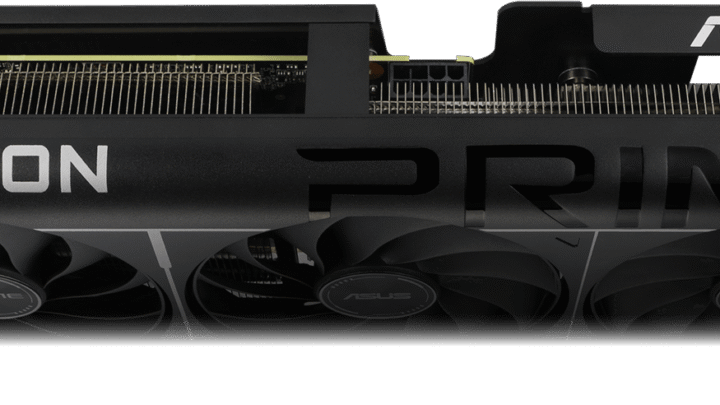
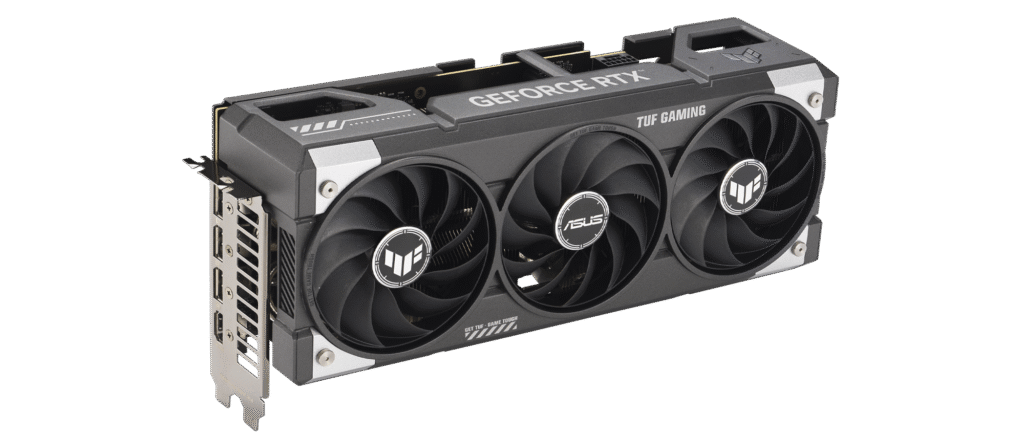
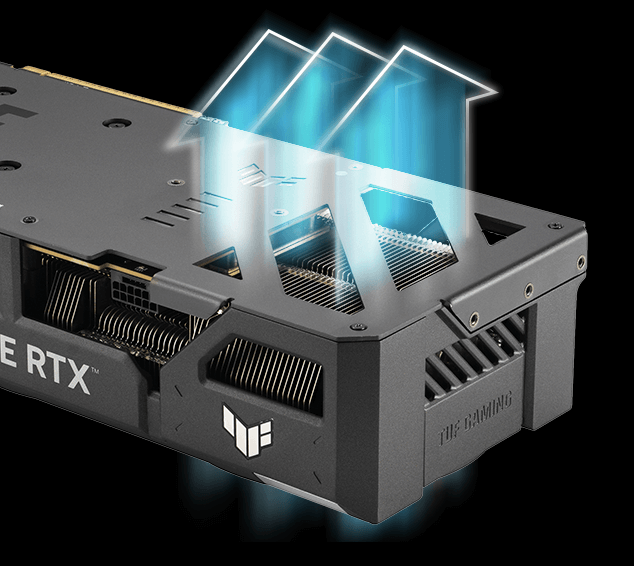
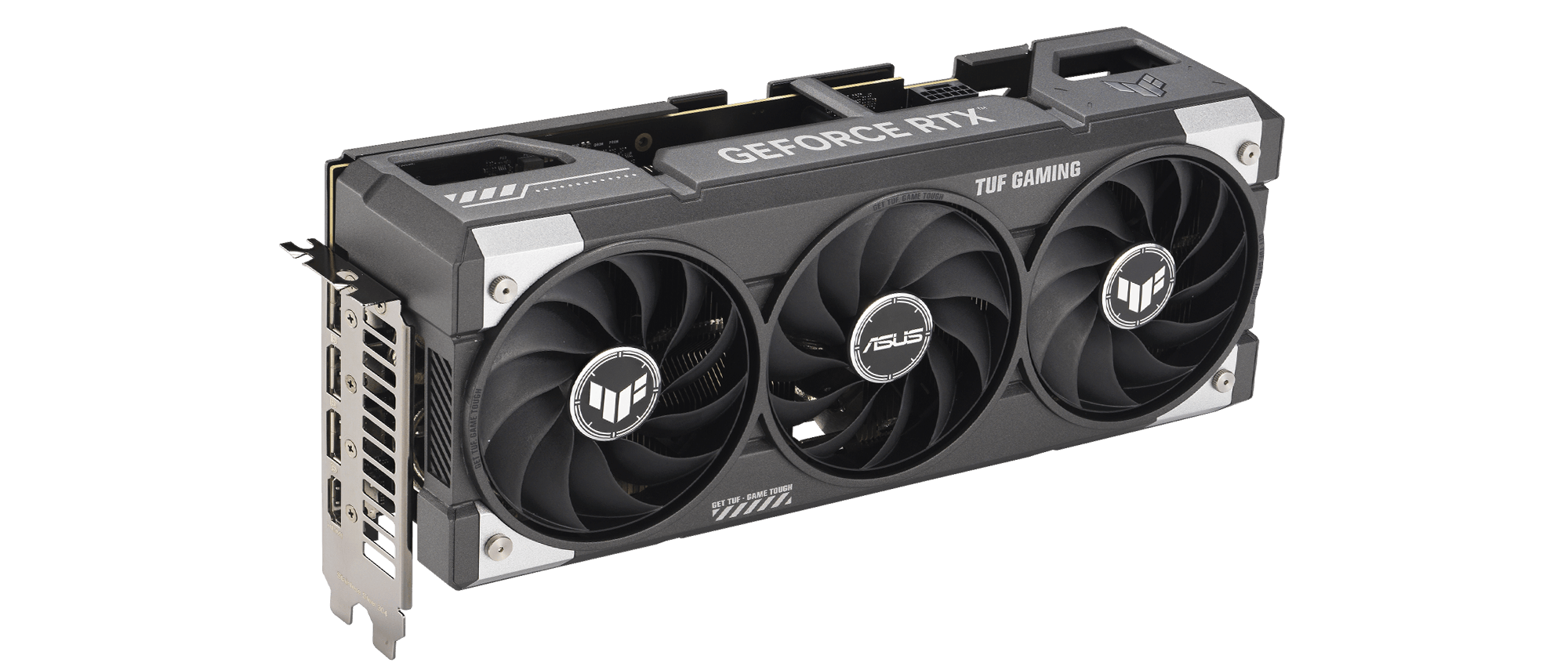
These existing ASUS illustrations show different RTX 5060 Ti board implementations. They are design references, not photographs of our own test samples. The retailer section currently links an ASUS TUF 8GB and ASUS Dual 16GB; the pictured TUF 16GB cooler is not the Dual listing.
Gaming performance: matched 1080p and 1440p examples
TechSpot’s 23 April 2025 tests used ASUS Prime versions on a PCIe 5.0 system. Selected outcomes below show how a setting change can alter the memory penalty. They are examples, not a representative all-game average. Frame generation is off unless stated.
| Game and settings | Matched result | What to examine |
|---|---|---|
| The Last of Us Part II — 1080p native, Very High | 16GB: 25% higher average FPS | Frame-time behaviour as well as average |
| The Last of Us Part II — 1440p DLSS Quality, Very High | 16GB: 34% higher average FPS | Upscaled, not native 1440p |
| Final Fantasy XVI — 1440p DLSS Quality, Ultra | 8GB: 41 FPS; 16GB: 74 FPS | A memory-stressed example |
| Final Fantasy XVI — 1440p native, High | 8GB within a few percent of 16GB | Lower settings can change the conclusion |
| Hogwarts Legacy — 1440p native, Ultra | Similar averages; 8GB texture pop-in | Similar FPS does not ensure matching images |
RTX 5060 Ti 8GB
RTX 5060 Ti 16GB
Original visualisation of the single Final Fantasy XVI result above. This is not 5000 Series testing and does not predict every game’s performance.
How to read the evidence
A valid comparison keeps the CPU, game build, scene, quality settings and render mode aligned. Review the source methodology before using a result to estimate your own experience. A small factory clock difference may influence a close result; a large memory-related collapse needs a different explanation.
Tests deliberately exceeding VRAM answer whether a card can sustain that workload. They do not establish how frequently every buyer encounters it. Conversely, a suite chosen entirely to fit within 8GB cannot establish that the extra capacity is useless. Both kinds of evidence matter.
Do not mix native rendering, DLSS reconstruction and generated frames in one ranking. We retain the settings and publication dates beside the game examples. We do not reproduce a third-party chart or present selected results as a universal percentage lead.
1080p gaming: resolution alone does not settle it
An 8GB card can remain useful at 1080p, especially for lighter titles and conservative textures. The practical question is whether your particular combination of textures, effects and background GPU applications fits. A monitor resolution is not a memory requirement by itself.
If you play a small, familiar library, inspect matched tests of those games and settings. Competitive players often reduce expensive effects for visibility and responsiveness; that can create a different workload from an Ultra-preset benchmark. Do not assume a demanding single-player example predicts your esports frame rate.
For a mixed library and a multi-year purchase, we prefer the flexibility of 16GB when affordable. That is an editorial judgement about fewer compromises, not a claim that every 1080p game needs more than 8GB.
1440p gaming: why we prefer the larger buffer
At 1440p, inspect the settings you want to keep rather than assuming every slider must be maximised. Texture quality can be visually valuable even when other effects are reduced. Compare whether both cards actually display the same assets as well as whether their frame rates are close.
The 16GB model gives you more room to experiment, but it retains the same underlying GPU class. A compute-heavy effect can remain too demanding even with unused memory. Turning down an expensive lighting option may be necessary on both versions.
If a discounted 8GB listing is tempting, calculate the saving against the cost of a suitable 16GB alternative and decide which compromises you will accept. Avoid buying from the assumption that a 16GB review describes both versions interchangeably.
Texture quality, stutter and 1% lows
Average FPS compresses an entire run into one number. A frame-time plot shows when individual frames take unusually long; 1% lows help describe the slower portion of a run. Neither measure alone tells you whether textures have been downgraded or are arriving late.
Look for footage that shows movement, scene changes and asset loading. A static benchmark can miss a streaming problem that appears while travelling through the world. Equally, shader compilation, storage delays and CPU limits can cause stutter without VRAM being the cause.
Memory allocation shown in an overlay is not the same as minimum required capacity. Diagnose the behaviour by changing one setting at a time and checking whether the symptoms improve. More system RAM does not turn into equivalent local graphics memory.
PCIe 3.0, 4.0 and 5.0: check an older PC
TechSpot’s 28 June 2025 PCIe investigation deliberately selected workloads exceeding 8GB. Faster links sometimes improved the smaller card, but did not consistently solve its memory limitation. The study is a stress-case investigation, not a normal all-game average.
Both versions use an x8 electrical connection. A physical x16 slot does not make the GPU use sixteen lanes. The negotiated generation and motherboard lane sharing matter; check the board manual and confirm which slot is connected to the CPU.
A compatible older motherboard can still use either card. Do not automatically budget for a new platform just to chase a newer PCIe number. First compare the cost of the 16GB GPU with the combined cost of a cheaper GPU and a motherboard or CPU change. Spending on the right memory configuration can be the more direct solution.
DLSS, ray tracing and frame generation
Both variants support the same advertised NVIDIA feature family in compatible games. Having a feature listed does not mean a particular combination of settings performs comfortably within 8GB. Inspect base rendering performance before adding generated frames.
DLSS can reduce some rendering costs by reconstructing from a lower internal resolution, but it does not necessarily reduce every texture or asset requirement. It is not a universal cure for memory pressure. Ray tracing and frame-generation configurations should be checked individually.
Choose the reconstruction mode by image quality in motion, responsiveness and the game’s implementation. Keep native frame rate, reconstructed output and generated output clearly distinguished. A larger displayed FPS counter alone is not proof that input response or texture quality improved.
4K gaming: extra VRAM is not a faster GPU
The 16GB model has more room for assets, but doubling capacity does not double shader throughput or make every 4K Ultra workload practical. Consider lighter games, sensible presets and upscaling rather than treating capacity as a high-end performance badge.
A 4K example can reveal memory behaviour, yet 1080p and 1440p are the more relevant purchasing checks for many buyers in this class. If your main objective is demanding high-refresh 4K, compare faster cards and the compromises each requires.
An existing 4K desktop monitor does not force you to run every game at native resolution and maximum settings. Test configurations that meet your own image-quality and responsiveness priorities.
Creator work, local AI and streaming
The software compatibility question is similar for both versions because they share an NVIDIA GPU family. Memory capacity can still determine whether a scene, model or project fits comfortably. Check the application’s backend, supported precision and operating-system requirements.
For a workload that genuinely exceeds the smaller buffer, 16GB can be useful even when gaming results are close. It is not a guarantee that a specific local AI model will run, and unsupported software does not become compatible simply because more memory is present.
Both variants provide the same encoder generation at the family level. More VRAM alone is not a reason to claim better streaming image quality. Inspect tests of your actual encoder preset, editor or rendering engine before making a work purchase.
Power, cooling and build compatibility
NVIDIA’s shared 180W reference TGP does not mean two partner cards draw exactly the same power in every task. Factory limits, clocks and workload change consumption. We do not assign an efficiency winner without matched measurements.
Check the exact board’s length, thickness, connector and cable-clearance requirements. The manufacturer’s 600W system recommendation is guidance for its reference configuration, not a complete assessment of every CPU, PSU and overclock.
A quiet cooler, compact dimensions and a good warranty can justify some board premium. However, compare whether an expensive 8GB implementation overlaps a simpler 16GB card. A cooler upgrade does not remove the smaller buffer’s capacity limit.
UK and US prices: calculate the delivered premium
No reliable live delivered-price comparison was established on 3 November 2026. The UK Amazon pages were inaccessible to our check, and the returned US pages were cached. The retailer boxes therefore direct you to current offers without claiming a verified checkout price or stock status.
Use comparable new cards from reputable sellers. UK consumer totals normally include VAT; check delivery. US totals depend on shipping and destination sales tax. Do not compare a pre-tax US price with a delivered UK price, and do not treat a marketplace asking price as the usual market price.
Premium percentage = (16GB delivered total − 8GB delivered total) ÷ 8GB delivered total × 100. The examples below are arithmetic illustrations, not current listings.
| Illustration only | 8GB delivered | 16GB delivered | Extra cost |
|---|---|---|---|
| UK example | £300 | £345 | £45 / 15% |
| US example | $350 | $402.50 | $52.50 / 15% |
How much extra is 16GB worth?
Our editorial rule is to favour 16GB for a new mixed-library gaming build when the premium is modest. Around 10–15% is usually easier to justify for flexibility than paying the same premium for a factory overclock. This is a budgeting guide, not a measured universal value threshold.
As the gap grows, compare other 16GB cards and faster GPU tiers instead of assuming either RTX 5060 Ti is automatically good value. The RTX 5060 Ti 16GB vs RX 9060 XT 16GB comparison is the next useful cross-check.
At a very large saving, 8GB may fit a constrained budget and known lighter workload. Be explicit about the trade-off: reduced textures or effects and less room for changing your game library. We would not borrow money or overspend on a poor-value listing merely to follow a memory recommendation.
Already own the 8GB card?
Keep it if your games run well at settings you enjoy. The existence of a larger-buffer version does not require an immediate replacement. Identify a repeatable problem before spending again.
Try reducing texture quality, heavy effects and unnecessary background GPU workloads, then compare the same scene. Check drivers and game updates, but avoid assuming every future patch will fix a capacity constraint.
If you do replace it, include resale proceeds, fees and the size of the actual performance upgrade in the calculation. A sideways move solely for capacity can make sense for a specific workload, but a faster card may offer a better overall upgrade at the available prices.
Which version should you buy?
Buy 16GB for the more flexible new purchase
This is our default for buyers mixing demanding games, higher-quality assets and possible creator projects, provided the delivered premium is sensible.
Consider 8GB only with a strong price case and known requirements
Confirm the results for your titles and accept settings compromises rather than relying on the shared product name.
Buy neither when both are overpriced
Compare the RX 9060 XT 16GB and nearby faster cards, seller quality and warranty. A comparison between two variants should not hide better options outside the pair.
Retailer offers
Where to buy the RTX 5060 Ti 8GB and RTX 5060 Ti 16GB
Compare current retailer availability for each card. Prices can change, so confirm the final total before buying.
RTX 5060 Ti 8GB
RTX 5060 Ti 8GB offers
Prices and availability are checked manually and may change. Confirm the final price with the retailer before buying.
Affiliate disclosure: We may earn a commission from qualifying purchases made through marked links, at no extra cost to you.
United Kingdom
-
Amazon UK — ASUS TUF RTX 5060 Ti 8GB OC Affiliate link Availability not confirmedCheck retailer for current price Last checkedCheck current price at Amazon UK (opens in a new tab)
United States
-
Amazon US — ASUS TUF RTX 5060 Ti 8GB OC Affiliate link Availability not confirmedCheck retailer for current price Last checkedCheck current price at Amazon US (opens in a new tab)
International / other
-
Scan UK Availability not confirmedCheck retailer for current price Last checkedCheck UK price (non-affiliate) (opens in a new tab)
-
Overclockers UK Availability not confirmedCheck retailer for current price Last checkedCheck UK price (non-affiliate) (opens in a new tab)
-
Newegg US Affiliate link Availability not confirmedCheck retailer for current price Last checkedCheck current price at Newegg (opens in a new tab)
-
B&H Photo Video Availability not confirmedCheck retailer for current price Last checkedCheck US price (non-affiliate) (opens in a new tab)
RTX 5060 Ti 16GB
RTX 5060 Ti 16GB offers
Prices and availability are checked manually and may change. Confirm the final price with the retailer before buying.
Affiliate disclosure: We may earn a commission from qualifying purchases made through marked links, at no extra cost to you.
United Kingdom
-
Amazon UK — ASUS Dual RTX 5060 Ti 16GB OC Affiliate link Availability not confirmedCheck retailer for current price Last checkedCheck ASUS Dual 16GB price at Amazon UK (opens in a new tab)
United States
-
Amazon US — ASUS Dual RTX 5060 Ti 16GB OC Affiliate link Availability not confirmedCheck retailer for current price Last checkedCheck ASUS Dual 16GB price at Amazon US (opens in a new tab)
International / other
-
Scan UK Availability not confirmedCheck retailer for current price Last checkedCheck UK price (non-affiliate) (opens in a new tab)
-
Overclockers UK Availability not confirmedCheck retailer for current price Last checkedCheck UK price (non-affiliate) (opens in a new tab)
-
Newegg US Affiliate link Availability not confirmedCheck retailer for current price Last checkedCheck current price at Newegg (opens in a new tab)
-
B&H Photo Video Availability not confirmedCheck retailer for current price Last checkedCheck US price (non-affiliate) (opens in a new tab)
Final verdict
RTX 5060 Ti 16GB is our preferred new purchase at a reasonable premium. Its advantage is preserving flexibility when 8GB becomes restrictive, not doubling speed everywhere. The 8GB card can still serve a known lighter workload at a substantial saving. Use current delivered totals and matched game evidence before ordering.
RTX 5060 Ti 8GB vs 16GB FAQs
Is 16GB twice as fast?
No. Capacity doubles, while the underlying GPU configuration is the same.
Is 8GB always inadequate at 1080p?
No. Requirements depend on the game and settings, not resolution alone.
Can system RAM replace VRAM?
It is not an equivalent substitute; transfers involve a different, slower path.
Does PCIe 5.0 fix an 8GB limitation?
Not reliably. The cited stress tests show that faster transfers are not a universal solution.
Do I need a new motherboard?
Not automatically. Check compatibility and the full cost before upgrading the platform.
Are the retailer links affiliate links?
Marked links may earn us commission at no extra cost; disclosures appear with the offers.
Are these our benchmarks?
No. Independent results are attributed and dated, and current-driver behaviour may differ.
Related guides and product details
Compare lower-cost GPU families: RTX 5060 8GB vs Intel Arc B580 12GB. This compares the standard RTX 5060, not the Ti model.
For the Radeon side of the same buying decision, see our RX 9060 XT 8GB vs 16GB comparison.
- Check specifications and retailer options: RTX 5060 Ti 8GB product page and RTX 5060 Ti 16GB product page.
- Compare a 16GB alternative: RTX 5060 Ti 16GB vs RX 9060 XT 16GB.
- Explore the next tier: RTX 5070 vs RX 9070.