RTX 5060 vs Arc B580: quick answer
Choose the RTX 5060 for a known 1080p gaming library, lower rated board power or software that specifically benefits from NVIDIA support. Choose the Arc B580 when it costs meaningfully less, your PC supports Resizable BAR and its 12GB buffer suits the games you want to play. Neither recommendation applies blindly: the final delivered price, your CPU and the games themselves can change the answer.
The B580 has 50% more graphics memory, but that does not mean 50% more speed. The RTX 5060 has newer GDDR7 memory, but that does not make its 8GB capacity equivalent to 12GB. Buy for the combination of frame rate, texture quality and system compatibility you actually need.
Choose the RTX 5060 if…
- Your priority games run well within 8GB.
- You need a particular NVIDIA feature or application workflow.
- Lower board power matters in your build.
Choose the Arc B580 if…
- Its delivered price is clearly lower.
- You value additional texture memory for 1440p.
- You can confirm Resizable BAR and suitable CPU performance.
Specifications compared
| Specification | GeForce RTX 5060 8GB | Intel Arc B580 12GB | Why it matters |
|---|---|---|---|
| Architecture | NVIDIA Blackwell | Intel Xe2 / Battlemage | Core counts across architectures do not directly establish performance |
| Memory | 8GB GDDR7 | 12GB GDDR6 | Capacity and memory generation answer different questions |
| Memory interface | 128-bit | 192-bit | A wider bus alone does not prove a faster card |
| PCIe connection | PCIe 5.0 x8 | PCIe 4.0 x8 | Both use eight lanes; older slots can reduce available bandwidth |
| Rated board power | 145W | 190W | A 45W rating gap; actual workload consumption varies |
| Main software families | DLSS, Reflex, CUDA / Studio | XeSS, XeLL, oneAPI | Check the exact game or application |
| AV1 hardware encoding | Yes | Yes | Both can support modern recording workflows; application integration still matters |
See the exact card designs
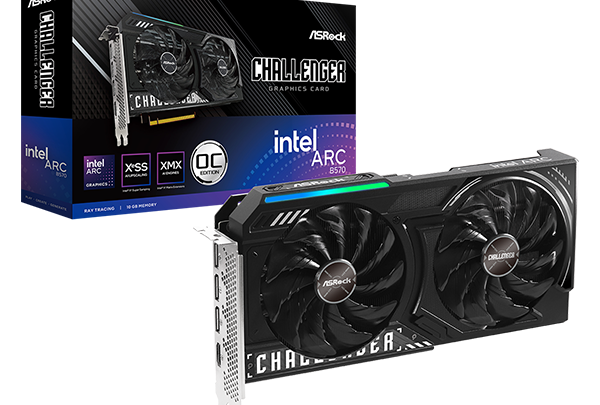
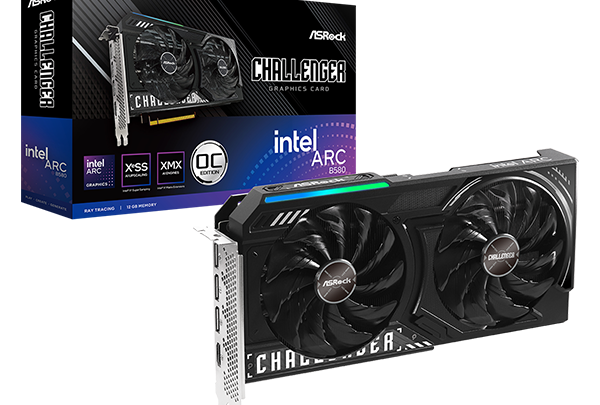
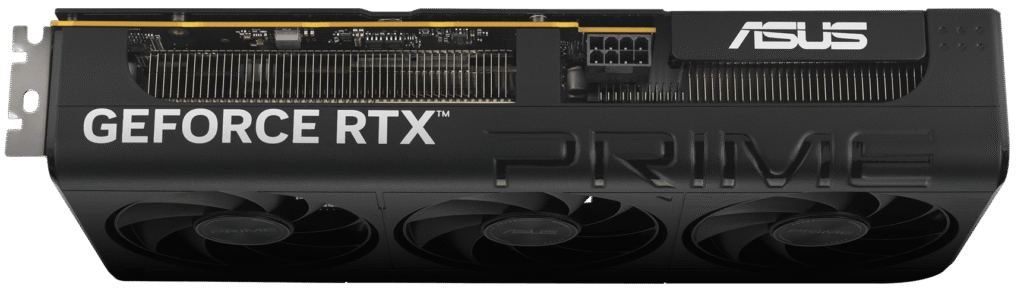
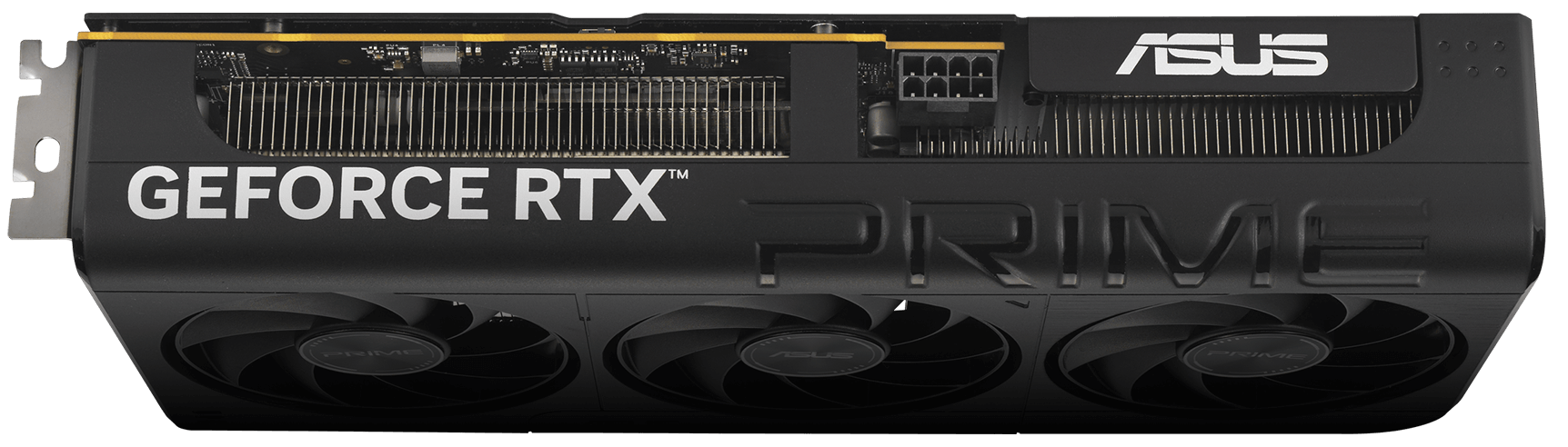
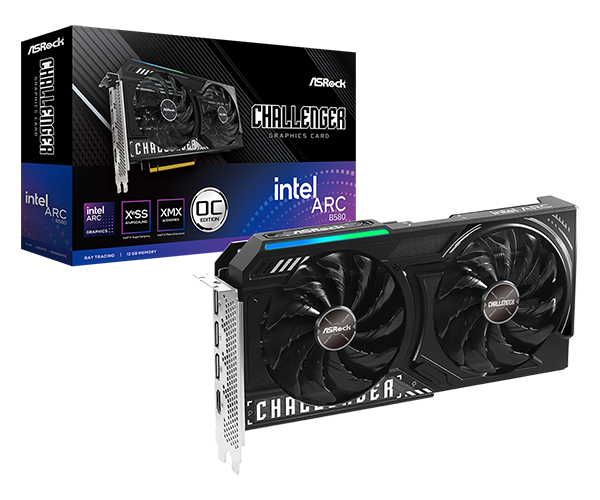
The illustrations below show the ASUS Prime GeForce RTX 5060 and ASRock Arc B580 Challenger 12GB OC. They identify example retail designs, not the precise boards used in every cited benchmark. Confirm the complete model code, dimensions and power connector on the offer you choose.
Gaming performance at 1080p and 1440p
5000 Series has not directly benchmarked these cards. The following figures are transcribed from the 18-game summary charts in TechSpot’s RTX 5060 review, published 22 May 2025. The test platform used a Ryzen 7 9800X3D and DDR5-6000 CL30 memory. They are historical measurements, not a claim about current drivers or every PC.
| Resolution and metric | RTX 5060 8GB | Arc B580 12GB |
|---|---|---|
| 1080p average FPS | 88 | 71 |
| 1080p 1% low FPS | 68 | 54 |
| 1440p average FPS | 55 | 53 |
| 1440p 1% low FPS | 38 | 40 |
At 1080p, this sample favours the GeForce. At 1440p, the average gap is small and the B580’s aggregate 1% low is slightly higher. These averages cannot predict any one game or establish identical image quality. Consult the individual tests before paying extra for a particular title.
1080p: choose around the games you play
A budget card is often going into a machine for a specific job: a competitive shooter, a few older favourites or a family PC with a fixed monitor. In that situation, make a shortlist of your most demanding games and the minimum frame rate you want. A card that wins a mixed average can still lose in the title you play most.
For high refresh gaming, check CPU performance and frame pacing as well as the GPU average. Turning down graphics settings can expose a CPU limit rather than unlock the headline GPU difference. If your existing system struggles at the same frame rate on both cards, include the cost of a platform upgrade in the decision.
Eight gigabytes can be workable when the selected textures and assets fit. It is less attractive if you are buying specifically to avoid settings compromises in new releases. Treat “1080p” as a resolution, not a promise that every texture preset fits inside the memory buffer.
1440p, texture quality and VRAM limitations
For a mixed 1440p library, the B580’s extra memory is a reason to investigate it closely. Look for tests that inspect texture detail and traversal stutter, not just a short built-in benchmark. A game may keep its average frame rate by loading poorer textures; that is not an equal-quality victory.
Start by separating rendering limits from memory pressure. Lowering textures can help the latter without changing every lighting or geometry setting. Lowering resolution or using upscaling targets rendering cost, but does not reduce every texture allocation. If both GPUs remain too slow after sensible adjustments, compare a faster class of card instead.
Our RTX 5060 Ti 8GB vs 16GB guide explains capacity trade-offs within one GPU family. This comparison adds another variable: different architectures and drivers. Do not transfer a performance percentage from that guide to the B580.
Older PCs: Resizable BAR and CPU overhead
Intel’s desktop quick-start guide says Resizable BAR should be enabled for optimal B-series performance. Confirm support for your actual motherboard and BIOS before buying. A physical PCIe slot is not sufficient proof. Verify the feature after installation rather than assuming a firmware setting was applied successfully.
TechSpot’s 2 October 2025 CPU-overhead retest used Arc driver 32.0.101.8132, Windows 11 24H2 and Ryzen 7 9800X3D, Ryzen 5 5600 and Ryzen 5 2600 systems with ReBAR enabled. Its comparison GPU was an RX 9060 XT 8GB, not the RTX 5060. The study supports checking CPU sensitivity; it does not supply a new direct 5060/B580 ranking. In Rainbow Six Siege X the Ryzen 5 5600 result was encouraging, while the 2600 still showed overhead.
These results are separate from the May gaming table. They do not measure a ReBAR-disabled penalty, so we do not invent one. If ReBAR cannot be enabled, the B580 should not be your default purchase on the strength of modern-platform reviews. Check supported alternatives and the total upgrade cost first.
DLSS, XeSS, ray tracing and frame generation
NVIDIA and Intel offer different combinations of upscaling, frame generation and latency reduction. Check the implementation in the actual game, including which modes support your GPU and driver. A feature appearing on a vendor’s website does not mean it is available in every title.
Compare native performance first, then judge upscaling at a similar visible quality. “Quality” is a mode name, not proof that two different reconstruction methods look identical. Frame generation adds displayed frames; it does not make an unresponsive base frame rate equivalent to genuinely faster rendering.
For ray tracing, use the exact effects you intend to enable. Neither extra VRAM nor an RTX badge guarantees a smooth maximum-quality experience. It is reasonable to prefer a card for a supported feature in your favourite game, but that benefit needs to be worth the delivered-price premium to you.
Power, cooling and physical compatibility
The reference ratings are 145W for the RTX 5060 and 190W for the B580. That is a useful reason to investigate the GeForce for a power-conscious build, but not a measured 45W gaming saving. Different workloads, idle behaviour and partner limits affect real consumption.
Check the exact card’s length, thickness, connector and recommended PSU. The minimum PSU recommendation includes the rest of the system and cannot be calculated by equating GPU wattage with PSU capacity. A larger cooler is also not evidence of lower noise without a comparable noise test.
Before ordering, measure clearance with front fans or radiators fitted and leave room for the power cable. Check display outputs against your monitor connections, especially if you depend on a specific refresh rate or adapter.
UK and US prices: compare delivered totals
Current delivered prices and stock have not been verified. The examples below demonstrate the calculation; they are not live offers. Use the retailer panels to check current options and compare the same condition, warranty and seller quality.
| Hypothetical example | B580 delivered | RTX 5060 delivered | GeForce premium |
|---|---|---|---|
| UK | £230 | £270 | £40 / 17.4% |
| US | $250 | $300 | $50 / 20% |
Calculate the premium as (RTX 5060 total minus B580 total) divided by the B580 total. Then compare that extra spending with the benefit in your games. A premium buys poor value if the workload is already smooth on the cheaper card; it can be worthwhile if it solves a specific software or performance requirement.
Do not pay heavily inflated prices for either model merely because this is a two-card comparison. Check nearby 16GB alternatives and used-card options with appropriate warranty protection. A cheaper sticker price can be cancelled out by shipping, an unsuitable PSU or a required CPU upgrade.
Which graphics card should you buy?
Buy the RTX 5060 for a known workload and NVIDIA features
Choose it when your main games fit comfortably within 8GB, the performance advantage matters at your settings, or your software needs NVIDIA support. Its lower board-power rating can be another practical benefit. Keep the premium proportionate to those benefits rather than buying solely for the brand.
Buy the Arc B580 for extra memory at a meaningful saving
Choose it when the delivered price is lower, you have a suitable platform with ReBAR enabled and the games you care about run well on current Arc drivers. Its 12GB buffer gives useful room for texture data, but check performance before assuming the extra capacity makes it the faster option.
Buy neither if the total upgrade cost is wrong
If either purchase pushes you close to a faster 16GB card, compare that alternative. If your existing card already meets your needs, keep using it. A bargain GPU is not a bargain if it creates another upgrade immediately.
Retailer offers
Where to buy the RTX 5060 8GB and Arc B580 12GB
Compare current retailer availability for each card. Prices can change, so confirm the final total before buying.
RTX 5060 8GB
RTX 5060 8GB offers
Prices and availability are checked manually and may change. Confirm the final price with the retailer before buying.
Affiliate disclosure: We may earn a commission from qualifying purchases made through marked links, at no extra cost to you.
United Kingdom
-
Amazon UK — ASUS Prime RTX 5060 OC Affiliate link Availability not confirmedCheck retailer for current price Last checkedCheck current price at Amazon UK (opens in a new tab)
United States
-
Amazon US — ASUS Prime RTX 5060 8GB Affiliate link Availability not confirmedCheck retailer for current price Last checkedCheck current price at Amazon US (opens in a new tab)
International / other
-
Scan UK Availability not confirmedCheck retailer for current price Last checkedCheck UK price (non-affiliate) (opens in a new tab)
-
Overclockers UK Availability not confirmedCheck retailer for current price Last checkedCheck UK price (non-affiliate) (opens in a new tab)
-
Newegg US Affiliate link Availability not confirmedCheck retailer for current price Last checkedCheck current price at Newegg (opens in a new tab)
-
B&H Photo Video Availability not confirmedCheck retailer for current price Last checkedCheck US price (non-affiliate) (opens in a new tab)
Arc B580 12GB
Arc B580 12GB offers
Prices and availability are checked manually and may change. Confirm the final price with the retailer before buying.
Affiliate disclosure: We may earn a commission from qualifying purchases made through marked links, at no extra cost to you.
United Kingdom
-
Amazon UK — ASRock Challenger B580 12GB OC Affiliate link Availability not confirmedCheck retailer for current price Last checkedCheck current price at Amazon UK (opens in a new tab)
United States
-
Amazon US — ASRock Challenger B580 12GB OC Affiliate link Availability not confirmedCheck retailer for current price Last checkedCheck current price at Amazon US (opens in a new tab)
International / other
-
Scan UK Availability not confirmedCheck retailer for current price Last checkedCheck UK price (non-affiliate) (opens in a new tab)
-
Overclockers UK Availability not confirmedCheck retailer for current price Last checkedCheck UK price (non-affiliate) (opens in a new tab)
-
Newegg US Affiliate link Availability not confirmedCheck retailer for current price Last checkedCheck current price at Newegg (opens in a new tab)
-
B&H Photo Video Availability not confirmedCheck retailer for current price Last checkedCheck US price (non-affiliate) (opens in a new tab)
Final verdict
RTX 5060 for a proven 1080p workload or required NVIDIA features; B580 for a compatible PC where 12GB and a lower delivered price make the stronger buying case. Match the recommendation to your games and platform. Neither card wins every budget build.
RTX 5060 vs Arc B580 FAQs
Is the B580 faster because it has 12GB?
No. Capacity gives assets more room; it does not directly establish rendering speed. The matched table above shows why resolution and workload matter.
Is the RTX 5060 the same as the RTX 5060 Ti?
No. This guide compares the standard RTX 5060 8GB. Listings and benchmarks for the Ti model describe a different GPU.
Can I use the B580 with an AMD processor?
Yes, subject to platform compatibility. Intel’s quick-start guidance includes supported AMD configurations; verify your motherboard, BIOS and ReBAR status.
Should I buy a B580 if my PC cannot enable ReBAR?
We would not make it the default choice. Intel recommends ReBAR for optimal performance, and the cited older-CPU testing had the feature enabled.
Are either of these cards a guaranteed 1440p Ultra choice?
No. Check the games and settings you want. Additional memory cannot fix every rendering bottleneck.
Related guides and product details
- Read the reviews: RTX 5060 8GB review and Arc B580 12GB review.
- Check specifications and retailer options: RTX 5060 product page and Arc B580 product page.
- Compare Intel’s two budget cards: Arc B570 vs B580.
- Explore memory choices: RX 9060 XT 8GB vs 16GB.