RX 9060 XT 8GB vs 16GB: quick answer
Buy the RX 9060 XT 16GB if its delivered price is reasonably close to the 8GB card. The extra memory gives demanding games more room for textures and effects, especially at 1440p. Both versions use the same class of GPU hardware, so doubling capacity does not double frame rates when the game already fits in 8GB.
Consider the 8GB version if it is substantially cheaper and you know what you play. For lighter 1080p games or a fixed library that runs well at the settings you want, the saving may be more useful than unused memory. If you expect to play a wide mix of new releases, the 16GB version gives you more latitude to keep texture quality where you want it.
Choose 16GB if…
- You play demanding games or use large texture packs.
- You want flexibility at 1440p.
- The premium is modest after shipping and tax.
Consider 8GB if…
- The saving is substantial.
- Your games run well within 8GB.
- You are comfortable turning down textures in heavier titles.
Specifications compared
The RX 9060 XT name covers both capacities. The main purchasing difference is memory headroom, although AMD lists different typical board power figures and individual partner cards can have different clocks, coolers and power limits.
| Specification | 8GB | 16GB | Why it matters |
|---|---|---|---|
| Architecture | RDNA 4 | RDNA 4 | Same generation of rendering features |
| Compute units | 32 | 32 | Extra capacity is not extra compute hardware |
| Memory | 8GB GDDR6 | 16GB GDDR6 | More space for textures and assets |
| Memory interface | 128-bit | 128-bit | Capacity doubles; bus width does not |
| Memory speed | 20Gbps | 20Gbps | Same reference memory data rate |
| PCIe interface | PCIe 5.0 x16 | PCIe 5.0 x16 | Both have a full x16 link |
| Typical board power | 150W | 160W | Reference figures; actual card draw varies |
See the exact card designs
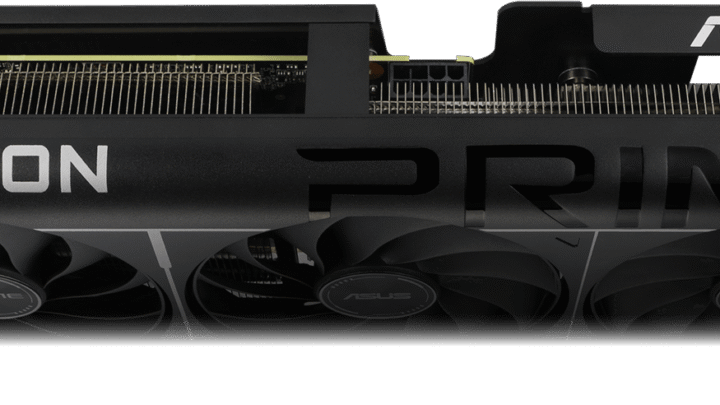
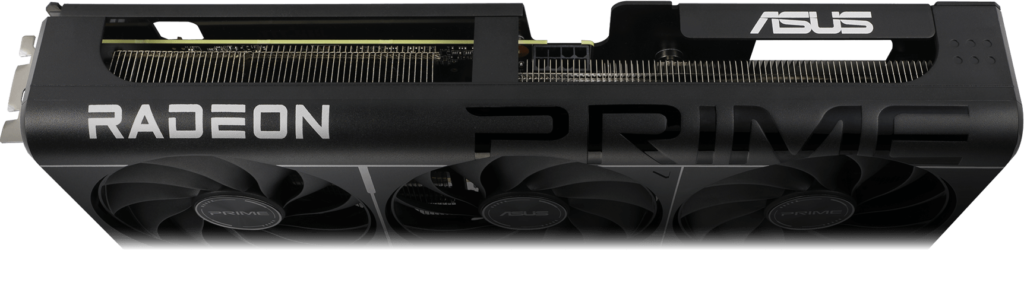
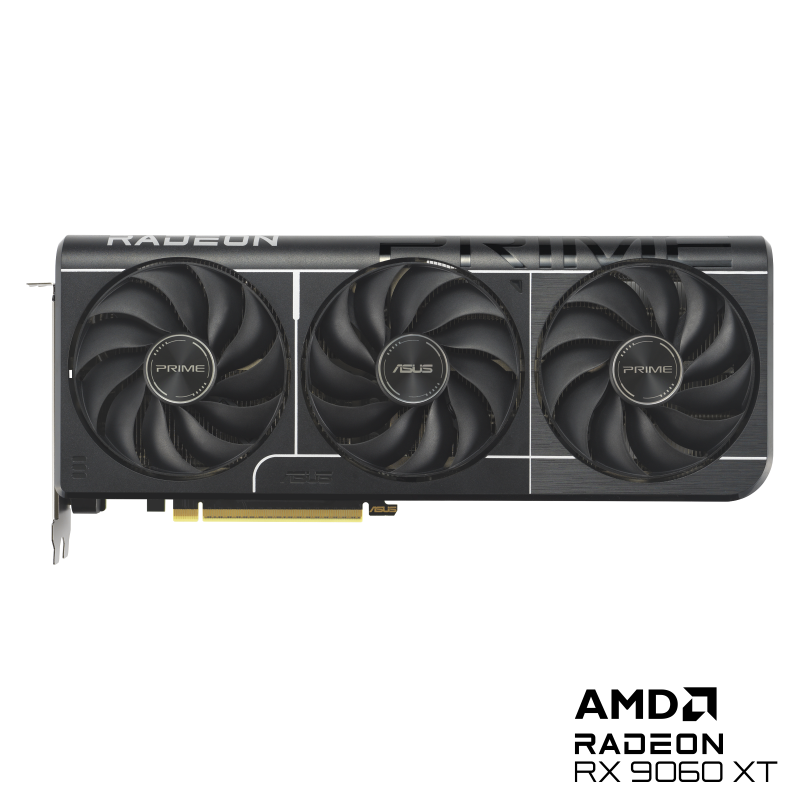
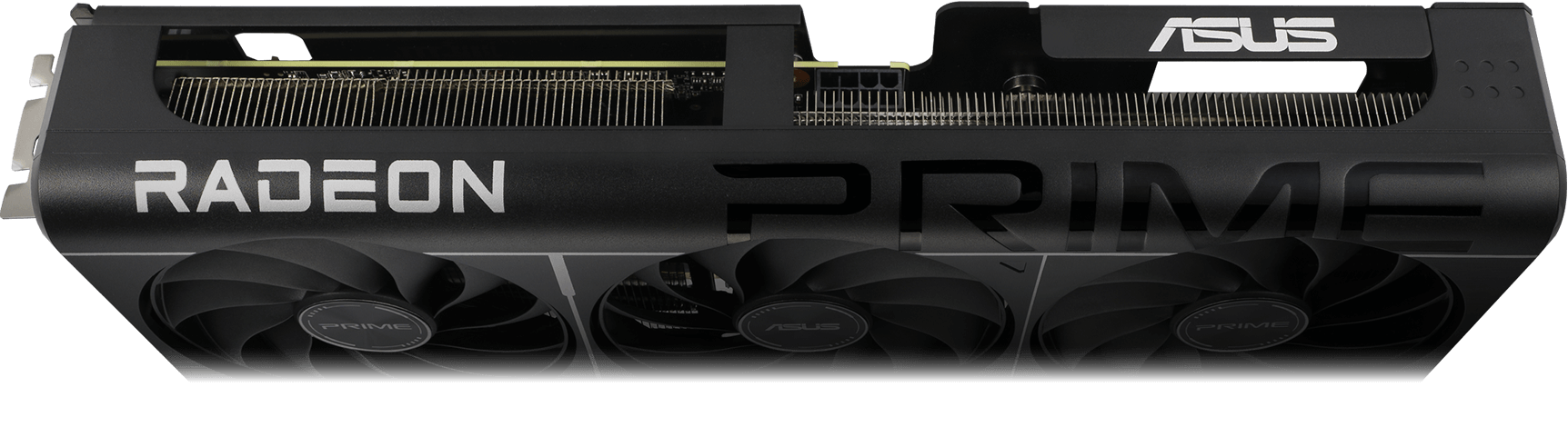
These manufacturer illustrations show ASUS Prime implementations of the two capacities. The cooling illustrations help identify the model family, but the memory capacity is confirmed by the SKU and retailer listing, not the appearance of the shroud.
Gaming performance: when the memory gap matters
5000 Series has not directly benchmarked these cards. The TechSpot RX 9060 XT 8GB tests compare the two capacities in selected games. The useful distinction is whether both can deliver the same settings smoothly. Memory-heavy tests show what can happen when the buffer is exceeded; they cannot tell you how often your own library will encounter that limit. The results should be read game by game, with the settings and test conditions in view.
When textures and other data fit in both cards, their shared compute configuration leaves less reason to expect a large gap. When a game cannot keep its working data in 8GB, it may reduce texture detail, move assets more frequently, or show uneven frame delivery. Which symptoms you see depends on the game. A similar average frame rate is only meaningful if the image quality and pacing also match.
| What you play | What to look for | How it affects the choice |
|---|---|---|
| Lighter games at 1080p | Matched settings and stable frame times | 8GB can make sense at a large saving |
| Demanding games at 1080p | Texture swaps, stutters and lows in busy scenes | A 1080p monitor does not rule out a memory limit |
| Mixed library at 1440p | Same texture quality, upscaling mode and effects | 16GB is the more flexible starting point |
| Heavy 4K or ray tracing | Base frame rate as well as memory use | Compare faster GPUs if rendering speed is the limit |
In TechSpot’s F1 25 test at 1440p with Quality upscaling and the Ultra High preset, the 8GB card averaged 42 FPS and the 16GB card averaged 72 FPS. In Stalker 2, lowering the preset to Medium let the 8GB version match the 16GB card’s performance in the tested scene. These results illustrate how much the gap depends on the game and settings.
How much extra memory do you get?
RX 9060 XT 8GB
RX 9060 XT 16GB
Memory capacity, not benchmark performance.
1080p gaming: when 8GB is a sensible saving
For a system built around a handful of esports or older games, check actual footage and benchmarks at the presets you use. You may be able to keep your preferred frame rate and texture quality on the cheaper card. If a test uses Ultra settings you would never select, its result is not automatically the right buying guide for you.
The reverse matters too: a demanding game can need more than 8GB even at 1080p. The resolution describes the output image, while textures and other scene assets still occupy memory. If your new card needs to handle a broad library for several years, budget for the capacity you want instead of treating 1080p as a guarantee.
1440p gaming: where 16GB makes more sense
At 1440p the 16GB card is our default for a mixed gaming library. The extra space gives more flexibility when you raise texture quality or enable heavier effects. It does not make every Ultra preset comfortable: when the GPU itself is the limit, both versions may need reduced effects or upscaling.
Look for comparisons that match the game version, graphics preset, scene and rendering mode. Compare the slower frames and any texture changes alongside the average FPS. A chart using native rendering for one card and upscaling for the other cannot isolate the memory difference.
PCIe and older PCs
The Radeon’s full x16 link is a useful distinction from the x8 RTX 5060 Ti. TechSpot’s comparison of the two 8GB cards explores PCIe behaviour under memory pressure. More link bandwidth can help when assets have to move between graphics and system memory, but it cannot make 8GB behave like a larger local buffer in every game.
Check your motherboard’s main graphics slot, its negotiated generation and any lane-sharing restrictions. The physical slot size alone does not tell you how it is wired. If your PC is older, assess the total upgrade cost: paying more for 16GB can be a simpler response to memory pressure than replacing the platform to get a faster PCIe link.
Do not assume that every hitch is caused by PCIe or VRAM. Try the same scene with reduced textures and then with reduced effects. Shader compilation, CPU load and storage can also affect frame pacing.
FSR, ray tracing and frame generation
Both capacities support the same Radeon feature family. Confirm support in the games you play and check the quality mode in use. Upscaling can reduce the internal rendering resolution, but it does not shrink every texture or replace missing graphics memory.
Frame generation can improve the smoothness of displayed motion when the underlying game already runs well. A higher displayed FPS figure does not establish equivalent input responsiveness or eliminate texture streaming problems. Compare the base frame rate and visual quality before treating generated FPS as a buying reason.
For ray tracing, prioritise a test of the exact effects and settings you want. More memory can keep the workload from spilling out of the buffer, but the card still has to render the effects in time.
Power, cooling and compatibility
AMD’s typical board power ratings differ by 10W. That does not establish a 10W difference in your games, and it does not tell you which retail cooler is quieter. Look up the connector, size and PSU guidance for the exact listing, especially if your case has a narrow cable clearance or the slot sits close to another card.
A premium 8GB cooler can cost as much as a simpler 16GB card. If you are deciding between those two offers, first ask whether size, noise or warranty is actually worth paying for in your build. Then compare that benefit with the texture and settings flexibility the larger buffer offers.
UK and US pricing: compare delivered totals
Live delivered prices and stock have not been verified. The product pages linked below list retailers where you can check current prices, and the figures in this section are hypothetical examples. Compare the same condition and similar warranty coverage, and confirm that the seller has selected the right capacity.
For UK offers, compare the total including VAT and delivery. For US offers, add shipping and applicable sales tax at checkout. The percentage premium is the difference divided by the 8GB delivered total. Evaluate the gap within each country rather than converting one region’s advertised price to another currency.
| Hypothetical example | 8GB delivered | 16GB delivered | Premium |
|---|---|---|---|
| UK | £250 | £285 | £35 / 14% |
| US | $300 | $345 | $45 / 15% |
Which version should you buy?
Buy 16GB for a mixed gaming library
When the price difference is modest, we would pay it for the ability to keep more demanding textures and effects. A premium around 10–15% is a reasonable starting point for comparing your options, not a benchmark-derived threshold. If the gap is wider, check what competing cards cost before committing.
Choose 8GB only when the saving fits your workload
If your favourite games run smoothly at the settings you want and the cheaper card keeps the build inside a firm budget, it can be the better fit. Be realistic about how often you change games or plan to upgrade your display. An 8GB bargain loses some of its appeal if you would soon pay to replace it.
Keep a working 8GB card if it meets your needs
Do not replace it solely because the 16GB model exists. Find a repeatable problem and try reducing texture quality first. If you decide to upgrade, compare the net cost after resale with a faster GPU that also offers more memory, rather than assuming a capacity-only move is the best use of your budget.
Retailer offers
Where to buy the RX 9060 XT 8GB and RX 9060 XT 16GB
Compare current retailer availability for each card. Prices can change, so confirm the final total before buying.
RX 9060 XT 8GB
RX 9060 XT 8GB offers
Prices and availability are checked manually and may change. Confirm the final price with the retailer before buying.
Affiliate disclosure: We may earn a commission from qualifying purchases made through marked links, at no extra cost to you.
United Kingdom
-
Amazon UK — ASUS Prime RX 9060 XT 8GB OC Affiliate link Availability not confirmedCheck retailer for current price Last checkedCheck current price at Amazon UK (opens in a new tab)
United States
-
Amazon US — ASUS Prime RX 9060 XT 8GB OC Affiliate link Availability not confirmedCheck retailer for current price Last checkedCheck current price at Amazon US (opens in a new tab)
International / other
-
Scan UK Availability not confirmedCheck retailer for current price Last checkedCheck UK price (non-affiliate) (opens in a new tab)
-
Overclockers UK Availability not confirmedCheck retailer for current price Last checkedCheck UK price (non-affiliate) (opens in a new tab)
-
Newegg US Affiliate link Availability not confirmedCheck retailer for current price Last checkedCheck current price at Newegg (opens in a new tab)
-
B&H Photo Video Availability not confirmedCheck retailer for current price Last checkedCheck US price (non-affiliate) (opens in a new tab)
RX 9060 XT 16GB
RX 9060 XT 16GB offers
Prices and availability are checked manually and may change. Confirm the final price with the retailer before buying.
Affiliate disclosure: We may earn a commission from qualifying purchases made through marked links, at no extra cost to you.
United Kingdom
-
Amazon UK — ASUS Prime RX 9060 XT 16GB OC Affiliate link Availability not confirmedCheck retailer for current price Last checkedCheck current price at Amazon UK (opens in a new tab)
United States
-
Amazon US — ASUS Prime RX 9060 XT 16GB OC Affiliate link Availability not confirmedCheck retailer for current price Last checkedCheck current price at Amazon US (opens in a new tab)
International / other
-
Scan UK Availability not confirmedCheck retailer for current price Last checkedCheck UK price (non-affiliate) (opens in a new tab)
-
Overclockers UK Availability not confirmedCheck retailer for current price Last checkedCheck UK price (non-affiliate) (opens in a new tab)
-
Newegg US Affiliate link Availability not confirmedCheck retailer for current price Last checkedCheck current price at Newegg (opens in a new tab)
-
B&H Photo Video Availability not confirmedCheck retailer for current price Last checkedCheck US price (non-affiliate) (opens in a new tab)
Final verdict
Choose the Radeon RX 9060 XT 16GB at a reasonable delivered-price premium. It is the more flexible choice for demanding games and 1440p. Choose the 8GB model only when it offers a meaningful saving and you know your games and settings will fit comfortably.
RX 9060 XT 8GB vs 16GB FAQs
Is 16GB twice as fast?
No. It doubles memory capacity, while the two variants share the same GPU class. Performance can be close when the game fits in 8GB.
Is 8GB enough at 1080p?
It can be. Game settings, textures and effects matter more than the output resolution alone.
Does PCIe 5.0 make up for 8GB?
A faster link can reduce some transfer penalties, but it does not add local graphics memory.
Is 16GB enough for 4K?
Capacity is only one part of the decision. Check whether the GPU can deliver the frame rate you want at acceptable settings.
How do I make sure I order the right version?
Confirm the capacity and model code on the retailer page and again at checkout. Both cards use the RX 9060 XT name.
Related guides and product details
- Read the reviews: RX 9060 XT 8GB and RX 9060 XT 16GB.
- Check specifications and offers: 8GB product page and 16GB product page.
- Compare GeForce alternatives: RTX 5060 Ti 8GB vs 16GB or RTX 5060 Ti 16GB vs RX 9060 XT 16GB.