Introduction
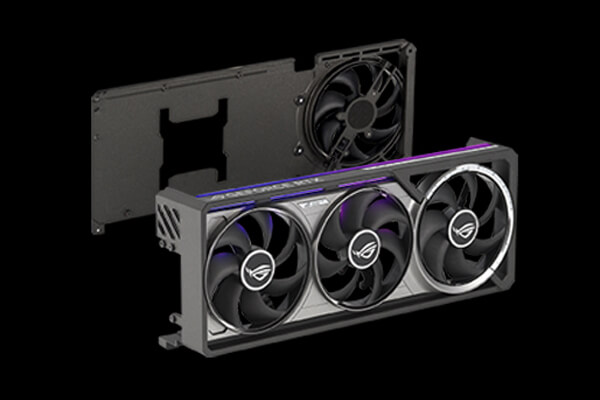
The NVIDIA GeForce RTX 5090 sits at the very top of the Blackwell graphics card range. It is designed for buyers who want the fastest GeForce GPU available, whether the goal is uncompromising 4K gaming, path tracing, high-resolution content creation, GPU rendering or local artificial-intelligence workloads. With 21,760 CUDA cores, 32 GB of GDDR7 memory and a 512-bit memory interface, it is a specification monster even before NVIDIA’s latest AI-assisted graphics features enter the picture.
That does not automatically make it a good purchase. The RTX 5090 launched at $1,999 in the US and £1,939 in the UK, a substantial increase over the RTX 4090’s original price. Those launch figures remain useful historical reference points, but retailer prices, availability and premiums on factory-overclocked cards continue to vary. It is also a 575 W graphics card, so the cost of ownership extends beyond the GPU itself: many buyers will need a high-quality power supply, a suitable case and enough cooling to handle the heat produced by a flagship system.
The key question is therefore not whether the RTX 5090 is fast. It plainly is. The real questions are how much faster it is than the already formidable RTX 4090, how heavily its biggest gains depend on DLSS 4 and Multi Frame Generation, and whether its advantages justify the cost and power requirements. Our NVIDIA GeForce RTX 5090 review examines the published benchmark evidence, specifications, features and practical trade-offs to reach a clear verdict.
Blackwell architecture and specifications
The RTX 5090 uses NVIDIA’s Blackwell architecture and the large GB202 GPU. Its 21,760 CUDA cores represent a major increase in parallel processing resources, while 170 fourth-generation RT cores accelerate ray-tracing calculations and 680 fifth-generation Tensor cores handle AI workloads. The Founders Edition has a 2.01 GHz base clock and a rated 2.41 GHz boost clock, although actual frequencies vary with temperature, power and workload.
Memory is one of the card’s most meaningful upgrades. The RTX 5090 provides 32 GB of GDDR7 operating at 28 Gbps across a 512-bit bus. That produces 1,792 GB/s of memory bandwidth, considerably more than the RTX 4090’s already substantial figure. The extra capacity is unnecessary for most conventional games today, but it gives the 5090 valuable headroom for high-resolution textures, complex rendering scenes, 8K timelines and memory-hungry AI models. For professional users who previously found the RTX 4090’s 24 GB limiting, 32 GB can be a practical advantage rather than a number on a specification sheet.
Blackwell also introduces fifth-generation Tensor cores and fourth-generation ray-tracing cores, alongside improved support for neural rendering. DLSS 4 is the most visible result for gamers. It combines an updated transformer-based approach to image reconstruction with Ray Reconstruction and Multi Frame Generation on supported hardware. The platform additionally supports NVIDIA Reflex, Broadcast, Studio drivers, AV1 encoding and decoding, and CUDA applications.
Connectivity is appropriately modern. The reference design supports PCI Express Gen 5, three DisplayPort 2.1b connections and one HDMI 2.1b connection. Display Stream Compression enables extremely high refresh rates at 4K and support for 8K displays, subject to the monitor, cable and selected colour settings. DisplayPort 2.1b is a welcome improvement for buyers pairing an expensive graphics card with the latest high-refresh screens.
Founders Edition design and installation
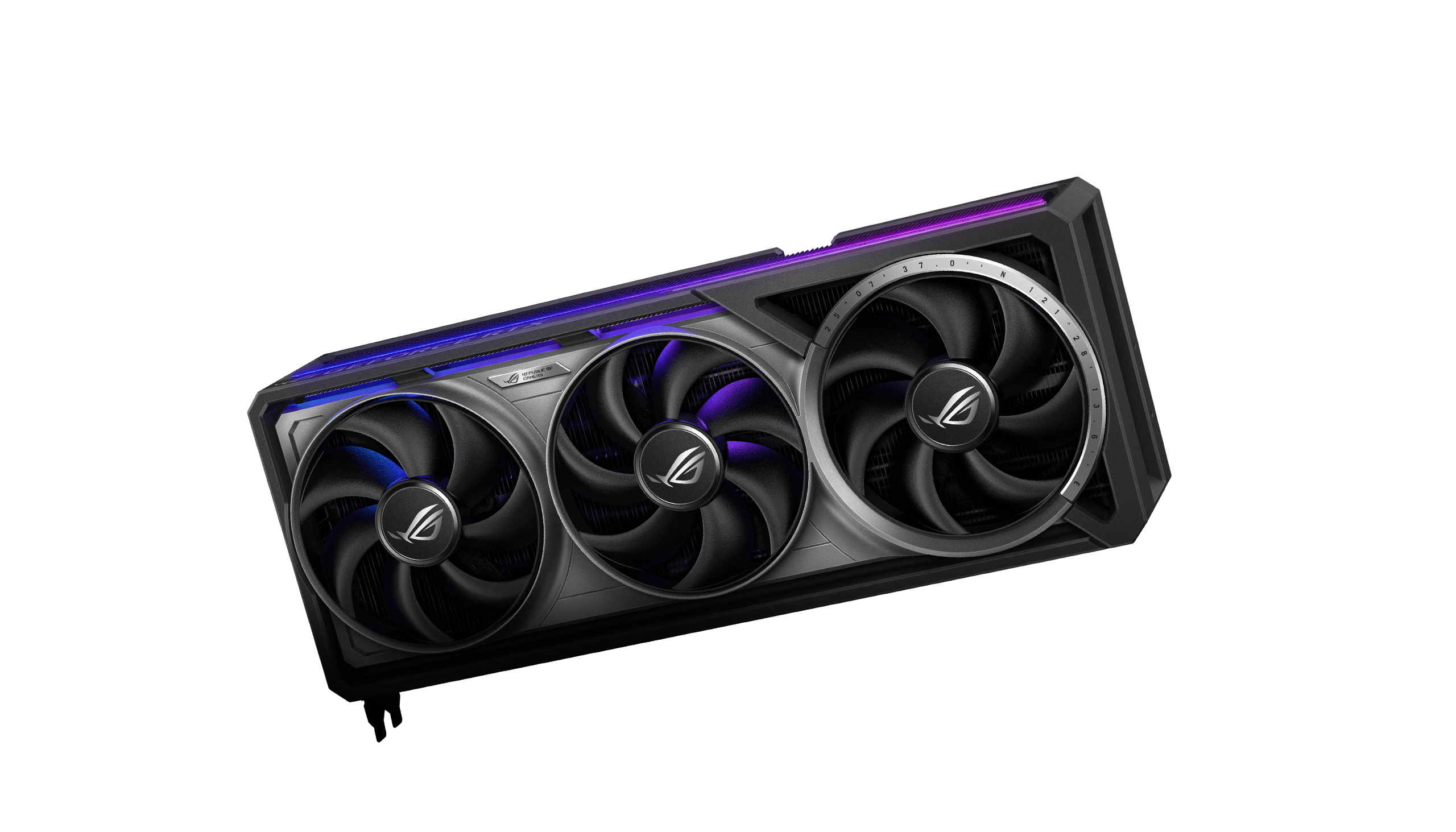
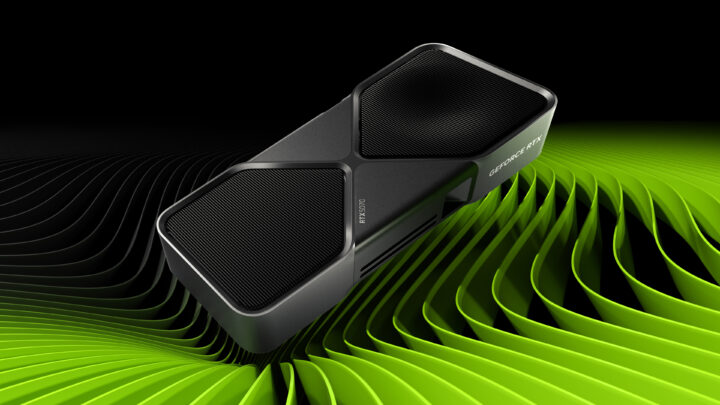
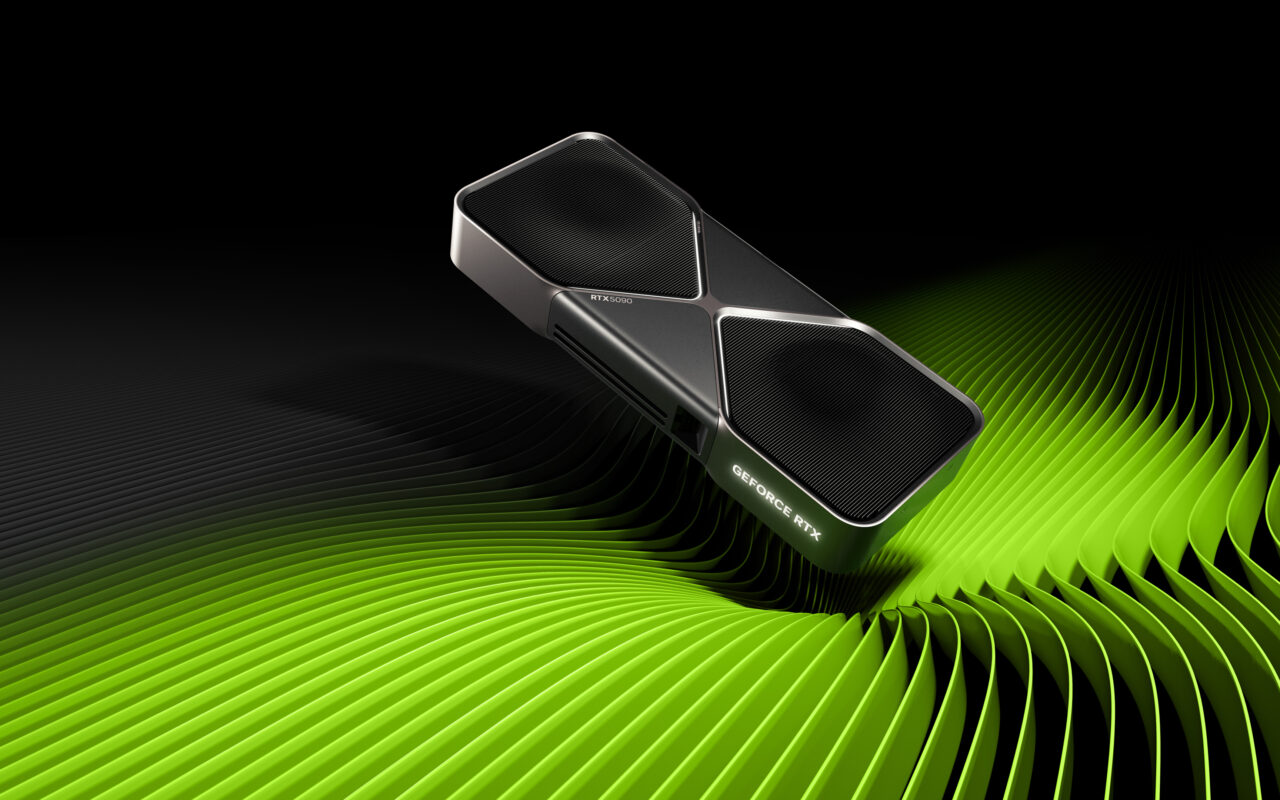
NVIDIA’s RTX 5090 Founders Edition is unusually compact for a card with this level of power. Its 304 mm length, 137 mm height and two-slot cooler make it easier to accommodate than many triple-slot and four-slot partner cards. NVIDIA achieves this with a double flow-through cooling arrangement, liquid-metal thermal interface material and a compact multi-part circuit board.
The design is technically impressive, but buyers still need to plan the installation carefully. The power cable needs enough clearance to avoid excessive bending near the connector, and the case needs strong airflow to remove hundreds of watts of heat. Partner models may use larger coolers, higher factory clocks and different power limits, so the dimensions and requirements shown for the Founders Edition should not be assumed to apply to every RTX 5090.
Power is the largest practical concern. NVIDIA rates total graphics power at 575 W and lists a 1,000 W required system power figure for its reference test configuration. The correct capacity depends on the processor, overclocking, number of drives and other components, but this is not a card to pair with an old or borderline power supply. A modern, reputable unit with a native PCIe Gen 5 cable is the cleanest solution. The supplied adapter can also be used with the required separate PCIe cables, but every connector must be fully seated.
The Founders Edition deserves a high design score because it packages flagship performance into two slots and adds current-generation display connectivity. It cannot escape the thermal reality of 575 W, however, and some partner cards are enormous. The RTX 5090 may fit in more cases than its power rating suggests, but it is not a casual drop-in upgrade for every PC.
Gaming performance at 4K
The RTX 5090 makes the most sense at 4K. At 1080p, and frequently at 1440p, modern high-end processors cannot always feed the GPU quickly enough to expose its full advantage. Buyers using a 1080p display should spend far less on the graphics card and prioritise a balanced system instead. Even 1440p can limit the 5090 in games that are especially dependent on CPU performance.
At 4K, the workload shifts back towards the GPU and Blackwell’s resources become more useful. TechSpot’s launch review measured a 27% average improvement over the RTX 4090 across 17 games at 4K, compared with only 12% at 1440p. Individual results varied widely. Some games delivered gains around or above 40%, while others showed only single-digit improvements. That variation matters: there is no honest single percentage that describes every RTX 5090 workload.
In absolute terms, the results are exceptional. Demanding titles that challenge lesser cards can be played at higher settings or frame rates, and games that already ran well on the RTX 4090 gain additional headroom for high-refresh 4K monitors. The 5090 is particularly attractive for players who refuse to compromise on texture quality or who combine maximum settings with ray tracing. Its 32 GB frame buffer also removes practical concern about VRAM capacity at 4K for the foreseeable future.
The generational comparison is less spectacular. The RTX 4090 was a transformative step over the RTX 3090 generation. The RTX 5090’s native rasterisation improvement is meaningful, but it often feels closer to an ultra-premium refinement of the 4090 formula than a repeat of that leap. Owners of an RTX 3080, RTX 3090 or slower card will see a dramatic upgrade. Existing RTX 4090 owners need a specific reason—more VRAM, higher 4K frame rates, stronger creation performance or DLSS 4—to justify replacing a GPU that remains extremely capable.
Ray tracing and path tracing
Ray tracing is one of the strongest arguments for the RTX 5090. The fourth-generation RT cores improve NVIDIA’s already leading position, while the enormous shader and memory resources help when a game combines complex lighting, high-resolution textures and 4K output. Tom’s Hardware recorded gains of up to 42% over the RTX 4090 in its ray-tracing suite, although it also encountered launch-period driver inconsistencies in some titles.
Full path tracing remains demanding even for this card. Native frame rates in the heaviest modes do not suddenly become effortless, but the RTX 5090 starts from a stronger base than any previous GeForce product. That base performance matters because upscaling and frame generation work best when the game is already responsive. A higher genuine input frame rate provides lower latency and gives the reconstruction pipeline better information from which to produce its output.
DLSS Ray Reconstruction can also improve image stability compared with conventional denoisers in supported games. The quality depends on the title and implementation, and visual artefacts can still appear, but the combination of stronger RT hardware and mature AI reconstruction makes the 5090 the best choice for enthusiasts who view path tracing as a priority rather than an optional effect.
DLSS 4 and Multi Frame Generation
DLSS 4 is central to NVIDIA’s case for Blackwell. Its transformer model improves Super Resolution and Ray Reconstruction, while Multi Frame Generation can generate as many as three additional frames between conventionally rendered frames on RTX 50-series hardware. In the right game, this can transform the displayed frame rate and make full ray tracing practical on a high-refresh 4K screen.
These generated frames must be interpreted correctly. Multi Frame Generation increases visual smoothness, but it does not make a 40 fps input behave exactly like a natively rendered 160 fps experience. Player input is still tied to the underlying rendered frame rate, and generated frames can introduce artefacts around fast motion, interface elements or fine detail. NVIDIA Reflex helps control latency, yet it cannot turn generated output into native simulation updates.
The best use case starts with a healthy base frame rate—ideally around 60 fps or higher—then uses Super Resolution and Multi Frame Generation to take fuller advantage of a 120 Hz, 144 Hz or 240 Hz display. Used this way, DLSS 4 is genuinely impressive. It should be treated as a valuable feature rather than mixed into native benchmark figures without explanation.
Support is also game-dependent. A large and growing selection of titles includes DLSS features, but not every game offers Multi Frame Generation, and implementation quality varies. The RTX 5090 remains the fastest gaming GPU without it; DLSS 4 expands what it can do rather than providing the sole justification for the card.
Creator, rendering and AI workloads
The RTX 5090’s appeal extends beyond gaming. Its 32 GB of VRAM, wide memory interface and substantial CUDA resources make it exceptionally capable for GPU rendering, video production, visual effects and AI-assisted workflows. Applications that scale well across CUDA cores can finish work more quickly, while the larger frame buffer allows more complex projects to remain entirely in GPU memory.
Video users receive three ninth-generation NVENC encoders and two sixth-generation decoders, with AV1 encode and decode support. This is useful for high-resolution exports, streaming and multi-format production. The precise advantage varies by application and codec, so buyers should check support in their preferred software, but the hardware platform is formidable.
Local AI is another compelling use. Fifth-generation Tensor cores add FP4 support, which can reduce model memory requirements and improve throughput when the software supports it. NVIDIA demonstrated large gains in suitable generative-AI workloads, but vendor demonstrations should not be treated as universal results. Model size, quantisation, framework support and software maturity all affect performance. The clearest benefit is the combination of very high compute capability with 32 GB of fast memory in a widely supported CUDA ecosystem.
Professionals should still compare the RTX 5090 with workstation products where certified drivers, support arrangements, ECC memory or more than 32 GB of VRAM are required. For independent creators, developers and advanced enthusiasts who can work within its memory capacity, however, the 5090 offers outstanding general-purpose GPU performance without moving to a far more expensive professional card.
Power, temperatures and efficiency
The RTX 5090’s 575 W rating is 125 W above the RTX 4090’s 450 W rating. That increase helps deliver the performance lead, but it makes efficiency a nuanced subject. The card can complete workloads faster and is not inefficient in every operating condition; nevertheless, a high-end gaming system drawing this much power creates practical costs in electricity, heat and cooling noise.
Independent testing shows that consumption changes by game and resolution. TechSpot observed much larger system-power increases in selected 4K workloads where the 5090 was fully utilised than in CPU-limited 1440p tests. This reinforces an important point: power should be judged alongside performance and workload, not from a single isolated number.
Owners can use frame-rate caps, undervolting or reduced power targets to improve everyday efficiency, although results vary by sample and any manual tuning requires stability testing. A 5090 does not need to run without limits in a game that already exceeds the display’s refresh rate. Sensible configuration can reduce heat and noise without materially changing the experience.
Even so, the default card remains demanding. Buyers should budget for a suitable power supply and good case ventilation, and they should consider how often they will use the performance available. An RTX 5090 purchased for occasional 1440p gaming is an inefficient allocation of money and power. The calculation looks more reasonable when the GPU is accelerating paid creative work, running local AI tasks or driving a premium 4K display.
RTX 5090 versus RTX 4090
The RTX 5090 is faster, has 8 GB more VRAM, provides substantially more memory bandwidth and adds exclusive access to DLSS 4 Multi Frame Generation. It also improves display connectivity with DisplayPort 2.1b. For a new no-compromise build, it is the obvious performance leader.
The RTX 4090 remains the more difficult comparison. It is still an elite 4K card, supports DLSS Super Resolution, Frame Generation and Ray Reconstruction, and consumes less power. At native 4K, the 5090’s average lead is meaningful but not universally large enough to make an upgrade essential. At 1440p, CPU limits often reduce the gap further.
An RTX 4090 owner should upgrade only when the additional performance solves a real problem. Examples include a professional scene exceeding 24 GB, a 4K high-refresh target the 4090 cannot consistently reach, heavy path tracing, or AI work that benefits from Blackwell’s Tensor capabilities. Upgrading simply to remain at the top of the product stack offers poor value.
For owners of older hardware, the decision is clearer but still budget-dependent. The RTX 5090 delivers a much larger experiential improvement over an RTX 3090, RTX 3080 or mid-range GPU. That does not mean it is the best-value upgrade; an RTX 5080-class product may be more proportionate for many systems. The 5090 exists for buyers who place maximum capability above diminishing returns.
Price and value
The launch price is the RTX 5090’s weakest point. At £1,939 or $1,999 for the Founders Edition, it entered the market above the RTX 4090 while delivering a smaller native generational uplift than the 4090 achieved. Partner models can cost substantially more, and paying a large premium for a modest factory overclock makes the value equation worse.
Retailer prices and availability fluctuate, so buyers should judge the card using the actual checkout price rather than the historical launch figure alone. At or near the launch reference price, the 5090 is easier to defend as a professional tool or the centrepiece of a premium build. At a steep partner-card premium, the cost per additional frame becomes difficult to justify.
Value is also personal. A creator who saves hours on billable rendering work may recover the purchase cost. A developer who needs 32 GB for local models may have few comparable consumer options. A gamer using a 1440p 144 Hz monitor will gain far less. Our value score reflects the typical enthusiast buyer, not a specialist whose workload can directly monetise the performance.
Who should buy the RTX 5090?
The RTX 5090 is best suited to:
- 4K gamers using high-refresh displays who want maximum settings and advanced ray tracing.
- Creators whose rendering, video or visual-effects software benefits from CUDA acceleration.
- AI developers and enthusiasts who can use 32 GB of VRAM and Blackwell Tensor performance.
- Buyers building a flagship PC who accept the cost, power and cooling requirements.
- RTX 30-series owners seeking a dramatic upgrade and willing to pay for the top model.
It is difficult to recommend for:
- 1080p gaming, where the GPU will be heavily underused.
- Most 1440p systems, where cheaper cards provide a better balance.
- RTX 4090 owners without a workload that needs more VRAM or Blackwell-specific features.
- Buyers who would need to compromise on the power supply, case or other core components to afford it.
- Anyone primarily concerned with performance per pound.
Retailer offers
Where to buy
Prices and availability are checked manually and may change. Confirm the final price with the retailer before buying.
Affiliate disclosure: We may earn a commission from qualifying purchases made through marked links, at no extra cost to you.
United Kingdom
-
Scan UK Availability not confirmedCheck retailer for current price Last checkedCheck UK price (non-affiliate) (opens in a new tab)
-
Overclockers UK Availability not confirmedCheck retailer for current price Last checkedCheck UK price (non-affiliate) (opens in a new tab)
-
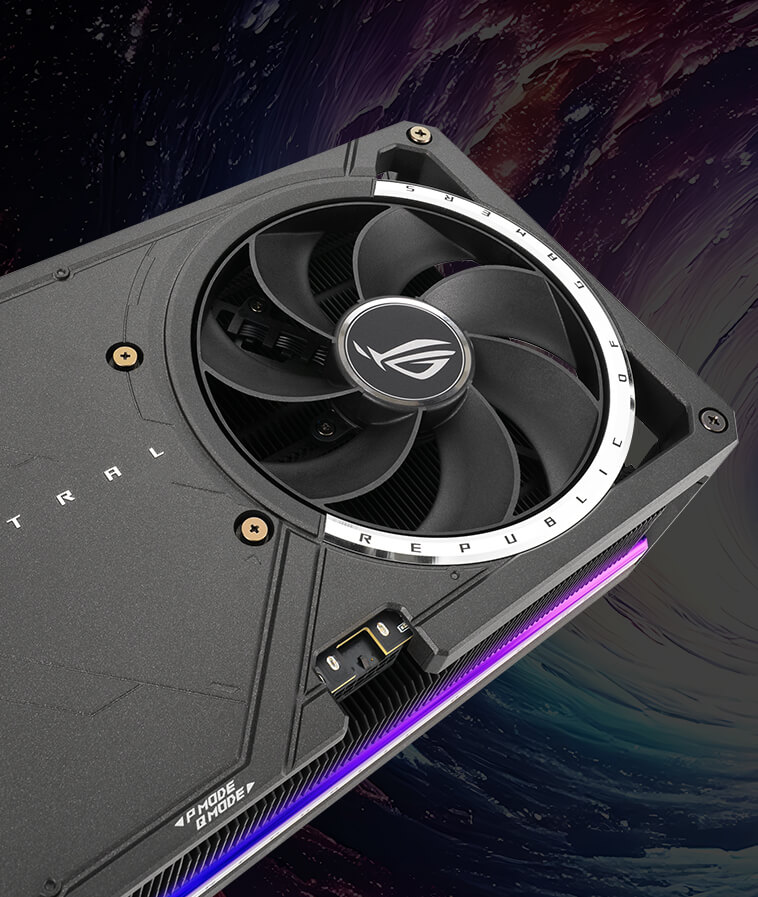
Amazon UK — ASUS ROG Astral RTX 5090 OC Affiliate link Availability not confirmedCheck retailer for current price Last checkedCheck current price at Amazon UK (opens in a new tab)
United States
-
Newegg US — MSI Suprim SOC (air-cooled) Affiliate link Availability not confirmedCheck retailer for current price Last checkedCheck current price at Newegg (opens in a new tab)
-
Newegg US — MSI Suprim Liquid SOC Affiliate link Availability not confirmedCheck retailer for current price Last checkedCheck current price at Newegg (opens in a new tab)
-
B&H Photo Video Availability not confirmedCheck retailer for current price Last checkedCheck US price (non-affiliate) (opens in a new tab)
-
Amazon US — ASUS ROG Astral RTX 5090 OC Affiliate link Availability not confirmedCheck retailer for current price Last checkedCheck current price at Amazon US (opens in a new tab)
Verdict
The NVIDIA GeForce RTX 5090 is the fastest and most capable consumer graphics card of the Blackwell generation. Its 4K gaming performance is exceptional, ray tracing is class-leading, and DLSS 4 can deliver remarkable smoothness in supported games when it starts from a suitable base frame rate. The 32 GB GDDR7 frame buffer, massive memory bandwidth and creator features also make it far more than a gaming status symbol.
It is not a flawless generational upgrade. Native rasterisation gains over the RTX 4090 vary considerably, the 575 W power rating demands careful system planning, and the price pushes value deep into diminishing-return territory. Multi Frame Generation is an impressive addition, but generated frames should not be confused with an equivalent increase in native performance or responsiveness.
Those reservations explain our 61/100 value score, but they do not erase what the GPU achieves. Performance and features are close to the practical ceiling of this generation, while NVIDIA’s compact Founders Edition is an impressive piece of engineering. For most gamers, a cheaper graphics card is the sensible choice. For professionals, AI developers and uncompromising 4K enthusiasts who genuinely need the best, the RTX 5090 earns our Editor’s Choice award and an overall score of 86.5/100.
Sources and evidence
Official specifications: NVIDIA GeForce RTX 5090 specifications. Independent testing: TechSpot RTX 5090 review, GamersNexus RTX 5090 review, Tom’s Hardware RTX 5090 review and The Verge RTX 5090 review. Sources were checked on 3 September 2026. External links are included for transparent attribution; 5000 Series has not reproduced the source articles or represented their testing as its own.