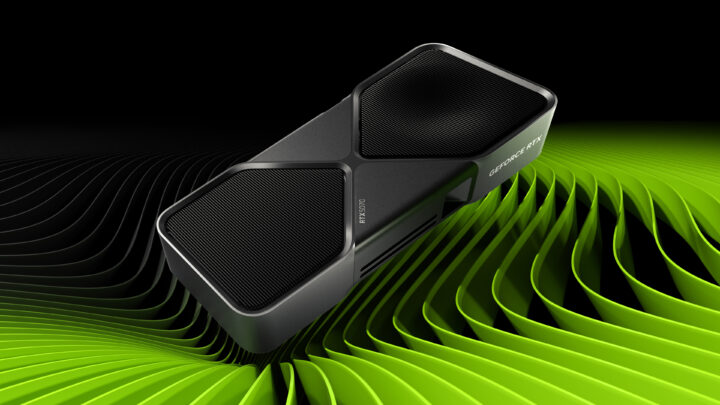
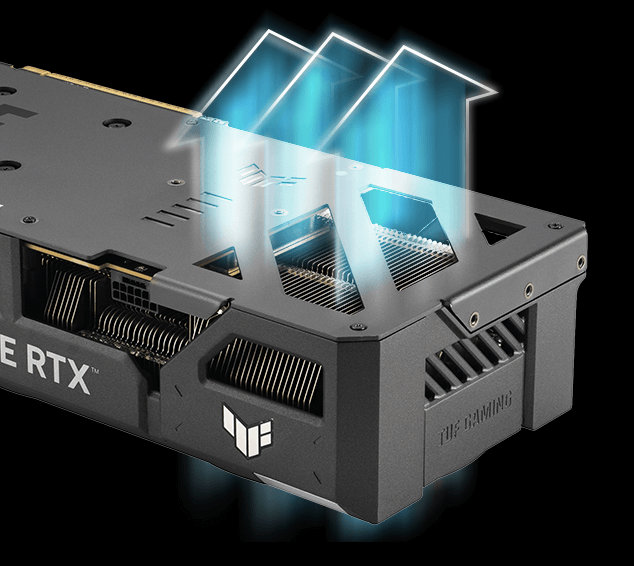
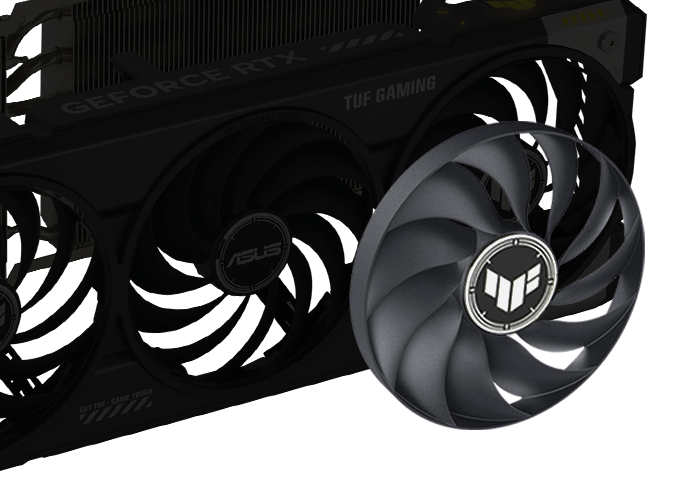
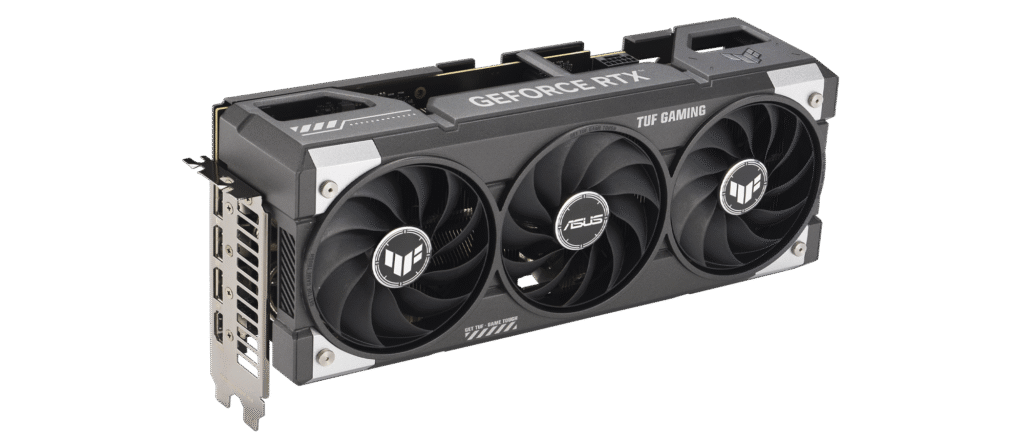
The same GPU as the 16GB card, but a memory cut that can turn a small saving into a large compromise. The NVIDIA GeForce RTX 5060 Ti 8GB launched at $379 in the US and £349 in the UK. It targets 1080p gaming with carefully managed textures, a market where value, memory capacity and consistent frame delivery matter as much as a large generated-FPS number.
This is an evidence-based editorial review. 5000 Series has not tested this card directly. We use official material for fixed specifications and independently published testing for measured performance, power and behaviour. Our score and verdict are an original assessment of that evidence.
RTX 5060 Ti 8GB review: the short version
The RTX 5060 Ti 8GB can benchmark well under controlled conditions, but its memory configuration is mismatched with its price and feature ambitions. The 16GB version is the responsible default.
- Good performance while workloads remain inside 8GB
- Efficient 180W board power
- Full Blackwell and DLSS 4 feature support
- 8GB is inadequate for the price tier
- Can suffer severe memory-related losses
How this review was produced
We separate facts, measurements and judgement. Manufacturer pages establish the shipping specification, supported features and reference power. Independent reviewers establish how a card behaves in games and applications. We then compare performance, features, design and value without presenting someone else’s test as our own.
A GPU result changes with processor, driver, operating system, game patch, scene and preset. Multi-game averages are therefore used for broad positioning, while individual examples show where memory or architecture creates an unusual outcome. Every chart identifies its basis and states that 5000 Series did not conduct the test.
Sources were accessed on 3 September 2026. Specifications are relatively stable; pricing, stock and driver behaviour are not. Launch MSRP is retained as historical context, and the Product page provides plain non-affiliate retailer searches for a current regional price.
Launch context and intended buyer
NVIDIA GeForce RTX 5060 Ti 8GB became available on 16 April 2025. Its launch prices placed it against established alternatives rather than in isolation. That matters because a technically competent card can still be poor value if a faster or better-provisioned model costs only a little more.
The intended use is 1080p gaming with carefully managed textures. Buyers should judge the card at the resolution and quality settings they actually plan to use. Very fast cards can be CPU-limited at 1080p; budget cards can be overwhelmed by 4K; and both situations can make a simple cross-resolution ranking misleading.
Generated frames, upscaling and latency-reduction tools are part of the product, but they are not interchangeable with native rendering. We credit useful features while anchoring the performance assessment in conventional or clearly labelled upscaled evidence.
Architecture and specification
The RTX 5060 Ti 8GB uses the Blackwell architecture. Its headline configuration is 4,608 CUDA cores, 36 RT cores, 144 Tensor cores, 8GB of 28Gbps GDDR7 on a 128-bit bus, a 2.57GHz reference boost clock and a 180W graphics-power rating. These figures define the resources available to games and applications, but core counts should not be compared directly across different vendors or architectures.
Clock speed is a target rather than a guarantee for every workload. Real operating frequency depends on temperature, power limits, voltage and the board maker’s BIOS. Likewise, a factory overclock usually changes performance by only a few percent and cannot correct a memory-capacity or architecture limitation.
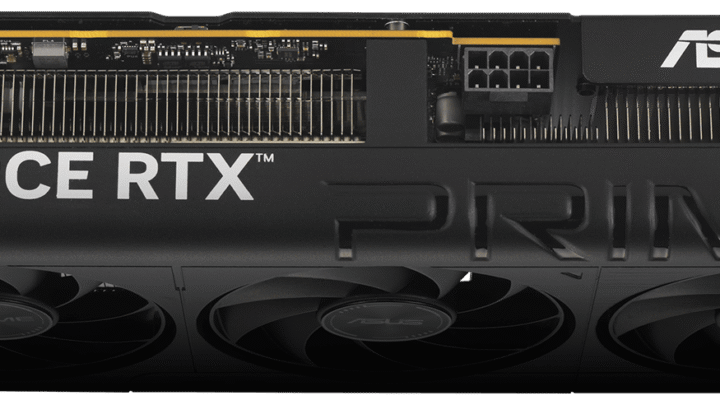
Display, media and bus standards affect compatibility and workflow, while they do not automatically increase game speed. The exact partner card can change outputs, dimensions, cooler, power connector and warranty, so this review evaluates the GPU class and the Product record distinguishes reference from partner-dependent details.
Memory capacity and bandwidth
Eight gigabytes is the review’s decisive weakness. The price saving over the 16GB model is too small to compensate for halving capacity on a card sold for modern high-quality gaming. PCIe traffic can also become more important when local memory is exhausted.
Capacity and bandwidth solve different problems. Bandwidth controls how quickly resident data can be moved; capacity controls how much can remain local. When a workload exceeds local memory, a game may lower texture residency, stream data across PCIe, stutter or lose performance. The symptom depends on the engine and cannot be described by one universal threshold.
Memory allocation is not the same as memory requirement, but repeated problems in controlled side-by-side tests deserve weight. Buyers planning high-resolution textures, mods, ray tracing, large creative projects or local AI should treat VRAM as a concrete requirement rather than an abstract future-proofing claim.
Rasterised gaming performance
When a game fits comfortably inside 8GB, the two RTX 5060 Ti versions can look similar. TechSpot’s purchased-card investigation showed why that is an incomplete test: memory-heavy settings can introduce stutter, missing assets or severe slowdowns that average light-game results conceal.
Rasterised results remain the clearest base comparison because they avoid generated-frame multipliers and the uneven availability of proprietary features. They still require context: esports titles may be CPU-limited, a modern cinematic game may be GPU-limited, and an older API can favour a different driver architecture.
The attached index is deliberately simple. It communicates a relationship drawn from the cited evidence instead of pretending that one number predicts every game. Readers should open the source for its complete system, game list and per-title results, then check a benchmark for any game that dominates their own play time.
Frame-time consistency and one-percent lows matter alongside averages. A card that reports a high average but repeatedly stalls when assets move through memory can feel worse than a lower average with stable delivery. This is particularly important when evaluating cards with different VRAM capacities.
Ray tracing and advanced effects
The GPU supports Blackwell ray tracing, DLSS 4 and Multi Frame Generation, but these features can increase resource pressure. A feature existing on the box does not mean every maximum setting is practical with an 8GB buffer.
Ray tracing performance varies enormously with the number and type of effects. A hybrid game using a few reflections is not equivalent to path tracing. Start from a responsive base setting, add the effects that materially improve the image, and reduce the ones whose cost is disproportionate.
Upscaling can be an excellent quality-performance tool at 1440p and 4K. At 1080p, aggressive modes begin with fewer source pixels and artefacts can become more visible. The best mode is therefore chosen by image quality and latency in the individual game, not by the largest benchmark bar.
Upscaling and frame generation
NVIDIA’s current feature stack is included in the score because it changes how the card can be used. Super-resolution reconstructs an image from a lower internal resolution; frame generation synthesises intermediate frames; latency tools attempt to reduce part of the delay. Each stage should be evaluated separately.
Frame generation produces its best experience when the game already has a stable, responsive base frame rate and the display has enough refresh headroom. It is much less convincing when used to mask low native performance. Controls are still sampled from the rendered base, and visual artefacts or interface problems can appear.
Marketing comparisons sometimes enable several new features on one card and compare them with native rendering on an older card. That can demonstrate a feature, but it does not establish like-for-like GPU speed. Our editorial score avoids that category error.
Power, thermals and noise
The 180W target is efficient and easy to cool. A 600W supply is recommended. Partner-card dimensions and connectors vary, and the PCIe x8 interface deserves attention on older systems when memory spill is involved.
Power figures describe a limit or typical board target, not what every game consumes continuously. Efficiency is performance delivered per watt. A frame cap, sensible quality settings and an appropriate power limit can reduce consumption, while any undervolt or overclock should be stability-tested.
Temperature and acoustics depend strongly on the exact cooler. A large premium model may run quietly but occupy four slots; a compact model may fit more cases but spin fans faster. Consult a review of the exact SKU when noise, size or hotspot temperature is important.
Installation and compatibility
Measure case clearance before ordering, including front radiators, drive cages, support brackets and the space needed for a gentle power-cable route. Confirm slot thickness as well as length. A product described as ‘dual fan’ can still be too thick for an adjacent expansion card.
Use the power-supply manufacturer’s approved cable and never mix modular cables between PSU brands or models. Fully insert the connector, inspect the latch and avoid sharp bending at the plug. The correct supply capacity depends on the CPU, transient behaviour and the entire system, not only the GPU’s headline wattage.
Firmware and platform settings can matter. Update the motherboard BIOS when needed, enable Resizable BAR where supported, install a current stable driver and remove conflicting legacy software during a major vendor change. Troubleshoot with default clocks before assuming a hardware fault.
Creator, streaming and compute use
Modern GPUs also accelerate video encode, decode, rendering and selected AI workloads. AV1 support is useful for streaming and efficient video delivery, but application integration determines actual quality and speed. Verify the supported codec, bit depth and hardware path in the software you use.
For compute work, NVIDIA’s software ecosystem can be as important as raw hardware. A benchmark from an unsupported or differently optimised application should not be generalised. Check the application’s current compatibility list, plugin version, required precision and whether the project fits inside local memory.
A gaming card can be excellent for occasional creation without replacing professional hardware. Warranty terms, driver certification, error handling and memory capacity may matter more than game FPS in paid work. The score reflects consumer use, not a universal workstation recommendation.
UK and US pricing
A £50 or $50 launch saving is not enough for most new builds. The 16GB model protects image quality and consistency, while 12GB and 16GB rivals also occupy nearby price bands.
UK pricing normally includes VAT; US MSRP normally excludes state sales tax. Direct currency conversion is therefore misleading. Compare the delivered price, retailer reputation, return terms and warranty route in your own region. A premium cooler should justify its cost through noise, size or service rather than a tiny clock increase.
The Product page’s retailer buttons are plain links. 5000 Series currently receives no commission from them. Availability and price must be checked on the retailer site. If affiliate links are added later, they will be labelled and will not alter this review score.
Retailer, warranty and regional checks
A graphics-card listing should identify the exact manufacturer, model code and memory capacity. Similar names can cover materially different products, and marketplace titles are not always reliable. Match the model code against the board maker’s page, verify the stated outputs and dimensions, and save a copy of the listing and receipt.
UK buyers should confirm that VAT is included, identify who handles warranty service and check their statutory return rights. US buyers should account for local sales tax and the retailer’s return window. International orders may add import charges and can complicate returns, so a slightly lower headline price is not always a lower-risk purchase.
A listing marked open-box, refurbished or marketplace-supplied should not be compared directly with sealed new stock without adjusting for warranty and condition. Inspect packaging and the connector on arrival, test the card at standard settings within the return period, and contact the retailer promptly if the serial number or product differs from the order.
RTX 5060 Ti 8GB alternatives
The RTX 5060 Ti 16GB is the obvious alternative. Radeon RX 9060 XT 16GB and Intel Arc B580 also provide more memory, while RTX 5060 is cheaper if an 8GB NVIDIA card is genuinely all the budget allows.
The best alternative is not always the next model in the same family. A cheaper card can be better for 1080p, while a slightly more expensive product with more memory may be cheaper over a long ownership period. Consider monitor resolution, target refresh, game library, software and power-supply replacement together.
Used and refurbished cards create a separate calculation. Confirm condition, warranty transfer, return rights and whether the card has been modified. A low used price can be attractive, but the new product’s full warranty and consumer protections have real value.
Who should buy the RTX 5060 Ti 8GB?
Only consider it at a deep discount for predominantly 1080p play where you are comfortable reducing textures and monitoring memory use.
- Good performance while workloads remain inside 8GB
- Efficient 180W board power
- Full Blackwell and DLSS 4 feature support
- Modern display and AV1 capability
Who should look elsewhere?
Avoid it for long-lived 1440p builds, maximum textures, heavy ray tracing, modding or creator work that can exceed 8GB.
- 8GB is inadequate for the price tier
- Can suffer severe memory-related losses
- Small saving versus the 16GB model
- Feature marketing can obscure native limits
- Poor long-term value
Long-term ownership
Drivers and game updates can improve compatibility and performance after launch, but they do not change physical memory or board power. Keep a known-good driver installer for critical work, read release notes and recheck per-game settings after a major patch.
Warranty length and regional support vary by board partner. Record the serial number and receipt, check whether registration is required and retain protective packaging. These practical details can matter more than a one-percent factory overclock if the card needs service.
Resale value depends on condition, memory capacity, efficiency and software support. Clean dust carefully, avoid unnecessary physical stress and disclose any firmware or cooling modifications. Do not assume a former launch price defines future value.
How to interpret the benchmark evidence
A benchmark is a controlled sample, not a permanent property of the card. Reviewers choose a processor, memory kit, operating system, driver, game build, test scene and quality preset. Changing any of those can alter both the absolute frame rate and the gap between products. That is why this review attributes a methodology and uses an index for orientation rather than inventing a universal FPS figure.
Average frame rate describes throughput, while one-percent lows and frame-time graphs help describe consistency. Neither replaces visual inspection for texture problems, traversal stutter or generated-frame artefacts. When a capacity-limited card looks unexpectedly close in an average, check whether the test also reports lows, texture quality and repeatable smoothness.
Upscaled tests are valuable when the same reconstruction mode and quality target are compared. They become misleading when one product uses a different internal resolution or when generated frames are counted on only one side. Our cited positioning is therefore labelled with upscaling and frame generation disabled unless the source example is explicitly about those features.
Performance also changes over time. Driver work can help a new architecture, while game patches can fix or introduce bottlenecks. A later re-test may be more representative than launch data, but launch testing remains important for documenting the product buyers were initially offered. Readers should combine this review with a recent benchmark of their most important game before spending.
Retailer offers
Where to buy
Prices and availability are checked manually and may change. Confirm the final price with the retailer before buying.
Affiliate disclosure: We may earn a commission from qualifying purchases made through marked links, at no extra cost to you.
International / other
-
Scan UK Availability not confirmedCheck retailer for current price Last checkedCheck UK price (non-affiliate) (opens in a new tab)
-
Overclockers UK Availability not confirmedCheck retailer for current price Last checkedCheck UK price (non-affiliate) (opens in a new tab)
-
Newegg US Affiliate link Availability not confirmedCheck retailer for current price Last checkedCheck current price at Newegg (opens in a new tab)
-
B&H Photo Video Availability not confirmedCheck retailer for current price Last checkedCheck US price (non-affiliate) (opens in a new tab)
Final verdict
The RTX 5060 Ti 8GB can benchmark well under controlled conditions, but its memory configuration is mismatched with its price and feature ambitions. The 16GB version is the responsible default.
Our 56/100 score combines performance, features, design and value. It is not copied from a cited publication. It represents the evidence available on 3 September 2026 and the launch proposition, with live pricing left as the buyer’s final check.
Source transparency
Official specification: NVIDIA product information. Independent evidence: Instantly Obsolete: Nvidia RTX 5060 Ti 8GB Review. External publishers retain ownership of their tests and words; this page summarises and attributes the findings rather than reproducing the original review.